Attribute forms can be created in existing attributes and can be mapped to Freeform SQL reports in a project in Strategy Developer 9.x - 10.x. The attribute form that is mapped to the Freeform SQL report cannot be deleted in the attribute editor if the attribute form still has dependency on the freeform SQL report, as shown below:
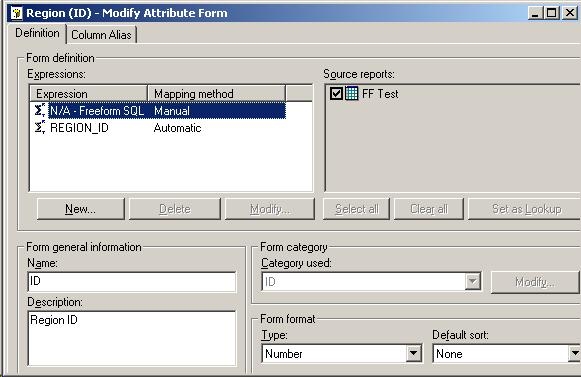
In the image above, the 'Delete' button is grayed out, and thus the attribute form cannot be deleted. In order to delete the attribute form that is mapped to a Freeform SQL report, follow the steps below:
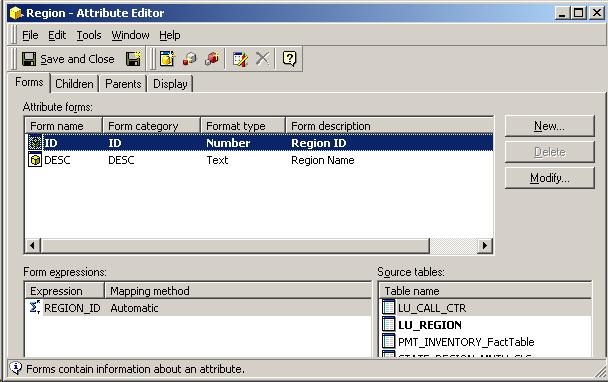
In the image above, the attribute form 'N/A - Freeform SQL' does not exist anymore and has thus been successfully deleted.
This issue has been logged as Scopus ID: 292473 and KB13712
