Blank Report
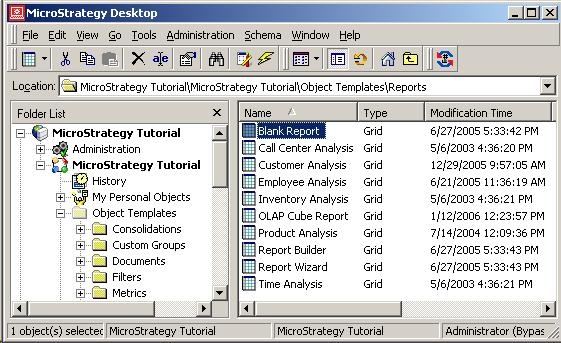
A Blank Report is an object that is present in the metadata. This object is used by Strategy Web 9.4.1/10.x in order to create a new report. A Blank Report object has a GUID associated with it and the object can be viewed in the Object Templates folder, which is a hidden folder, as shown below:
In the Strategy Web 9.4.1/10.x interface, when creating a new report there is a link for Blank Report, as shown below:
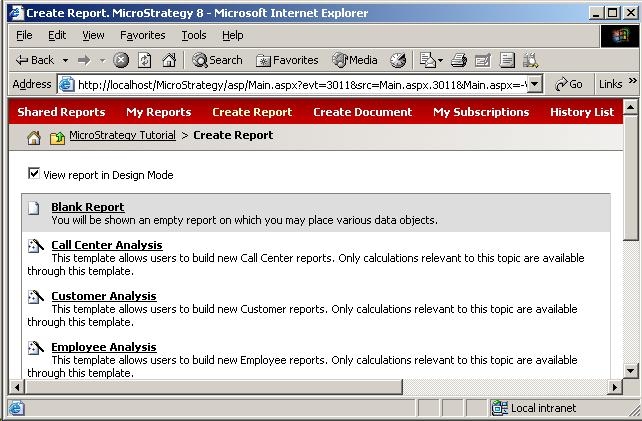
This link uses the Blank Report object in order to create a new report in Strategy Web 9.4.1/10.x. This makes it possible to create a new report with certain report data options or report caching options set. For example, it is possible to edit the Blank Report object in Strategy Desktop 9.x and go to Data -> Report Caching Options and enable report caching at the report level, as shown below:

Thus, any new report created in Strategy Web 9.4.1/10.x using the Blank Report object will be cached.
Empty Report
When creating a new report in Strategy Strategy Developer 9.4.1/10.x, the following box is displayed:

The Empty Report seen above is used to create a new report in Strategy Strategy Developer 9.4.1/10.x. However, Empty Report is not an object that exists in the metadata. It is dynamically created when a new report is created in Strategy Strategy Developer 9.4.1/10.x, and thus there is no GUID associated with it. There is no way to set report data options or caching options in this case. The only way to set these options would be to create a new object template with the appropriate settings and select this template from the New Grid box when creating new reports. Since Strategy Web 8.x does not have the ability to create the report dynamically, it has to use the Blank Report object in the Object Templates folder to create new reports.
