The Activate/Deactivate option allows an administrator to control what objects are enabled or available via the Subscription Portal in Strategy Narrowcast Server 9.x - 10.x. This option may be accessed by right-clicking on the object, as shown below:
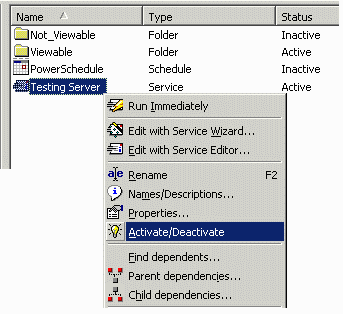
All objects have a status (displayed by the status column); however, not all objects respond to the Activate/Deactivate command. The following table shows the objects for which the Activate/Deactivate option is available and their expected behavior:
Certified | Certified | Certified |
Certified | Certified | Certified |
Certified | Certified | Certified |
Certified | Certified | Certified |
