SYMPTOM:
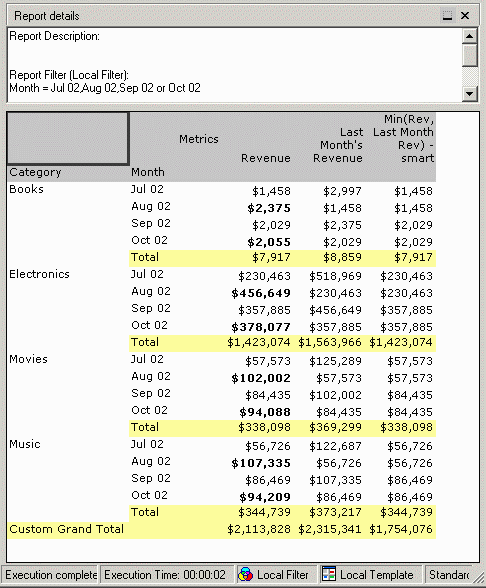
Situations may arise in which smart totaling may be desired at lower levels of aggregation, while the grand total should be calculated using standard totaling. This can be achieved using the custom subtotal feature set in Strategy Developer 9.4.1 and 10.x.
ACTION:
Consider a report with the following definition:
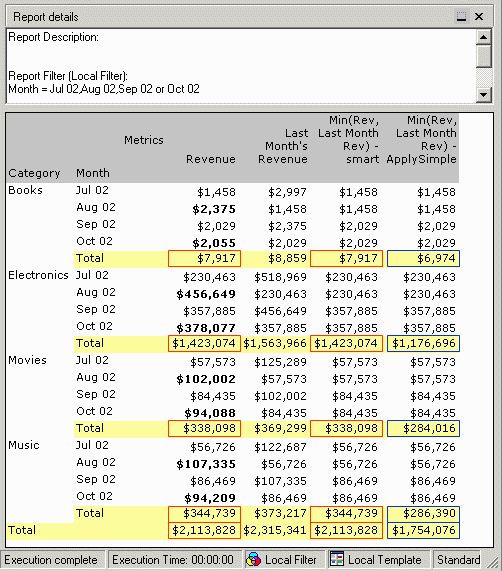
Revenue and Last Month's Revenue are the standard metrics from the Strategy Tutorial project. The two Min(Rev, Last Month Rev) metrics are defined differently to produce the same results (the lesser of the two preceding metrics) at row level, but different subtotals:
The smart metric applies the Case comparison to the results of the component metrics' subtotals, returning the lesser of the subtotal values (highlighted in red). The ApplySimple metric cannot use smart totaling because by definition it renders into a single expression in SQL. Its subtotal, in blue, is a simple sum of the row level metric values.
It may be desired to have the Month-level subtotal behave as a smart total, but substitute the standard subtotal at the grand total level. That is, in the third column, the grand total would be $1,754,076 instead of $2,113,828 as currently shown.
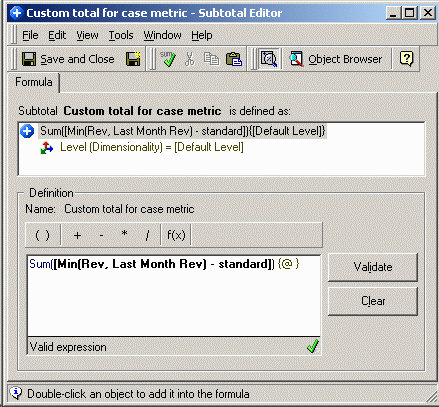
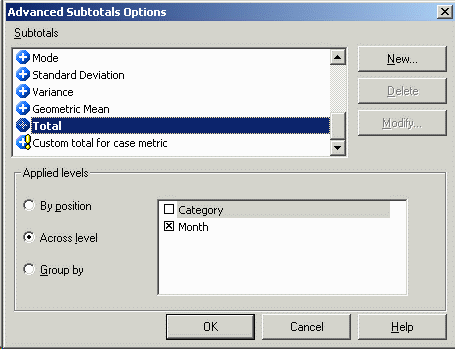
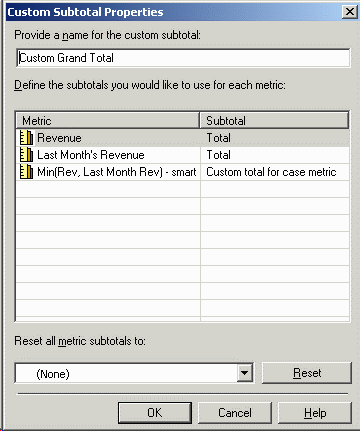
To produce this result, perform the following steps:
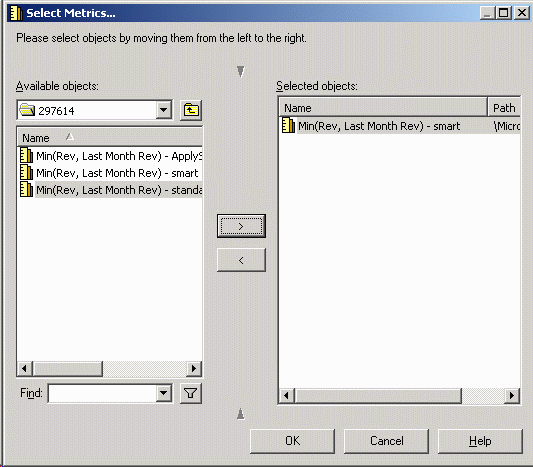
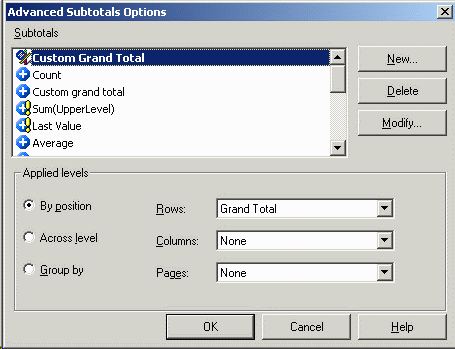
The report results should now show the smart subtotal at Month level, but the standard total for the grand total, as shown below: