SYMPTOM:
Upon importing an MDX Cube from a SAP BW catalog, users receive the following error:
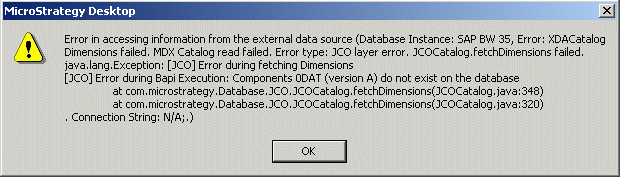
Error in accessing information from the external data source (Database instance: -----, Error: XDACatalog Dimensions failed. MDX Catalog read failed. Error type: JCO layer error. JCOCatalog.fetchDimensions failed. java.lang.Exception: [JCO] Error during fetching Dimensions
[JCO] Error during Bapi Execution: Components 0DAT (version A) do not exist on the database
at com.Strategy.Database.JCO.JCOCatalog.fetchDimensions(JCOCatalog.java:320)
at com.Strategy.Database.JCO.JCOCatalog.fetchDimensions(JCOCatalog.java:292)
. Connection String: N/A;.)
The error will also appear in DSSErrors.log.
CAUSE:
This error will result if the cube has any variables with a processing type of 'Replacement Path.'
In SAP BW, a variable is roughly analogous to a prompt in Strategy; if a cube has variables, those variables will be imported automatically as prompts. Variables, therefore, are expected to be of type 'User Input.' Replacement Path variables are substituted at runtime with the results of a query.
According to SAP documentation, cubes with replacement path variables should not be available through the ODBO (OLE DataBase for OLAP) standard, which Strategy uses for connectivity. There may be some exceptional cases in which such cubes are available for import, but the attempt to import will fail because of the ODBO restriction.
ACTION:
Restructure the cubes so that replacement path variables are not used.
