EducationSoftwareStrategy.com
StrategyCommunity

Knowledge Base

Product

Community

Knowledge Base

TopicsBrowse ArticlesDeveloper Zone

Product

Download SoftwareProduct DocumentationSecurity Hub

Education

Tutorial VideosSolution GalleryEducation courses

Community

GuidelinesGrandmastersEvents
x_social-icon_white.svglinkedin_social-icon_white.svg
Strategy logoCommunity

© Strategy Inc. All Rights Reserved.

LegalTerms of UsePrivacy Policy
  1. Home
  2. Topics

KB14120: The ability to select objects in the Project Comparison Result Set window is not available when viewing the objects only in source in MicroStrategy Administrator – Object Manager


Community Admin

• Strategy


When a user performs a Project Comparison and views the objects 'Only in source' in the Project Comparison Result Set window, the ability to select objects is no longer available in MicroStrategy Administrator - Object Manager.

SYMPTOM:
When a user performs a Project Comparison and views the objects 'Only in source' in the Project Comparison Result Set window, the ability to select objects is no longer available in Strategy Administrator - Object Manager.
 
STEPS TO REPRODUCE:
Follow the steps below to reproduce this issue using the Strategy Tutorial project:
 

  • Open Strategy Administrator - Object Manager and follow the steps to compare two projects, as shown below:
ka04W000000OgaFQAS_0EM440000002FTL.gif
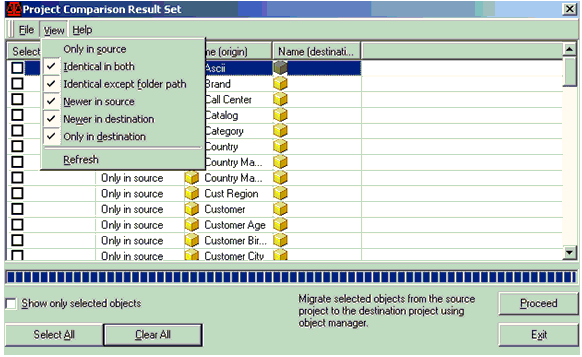
  • When the Project Comparison Result Set window appears, choose the View menu and uncheck the option 'Only in Source.' Click 'Refresh', as shown below:
ka04W000000OgaFQAS_0EM440000002FTJ.gif
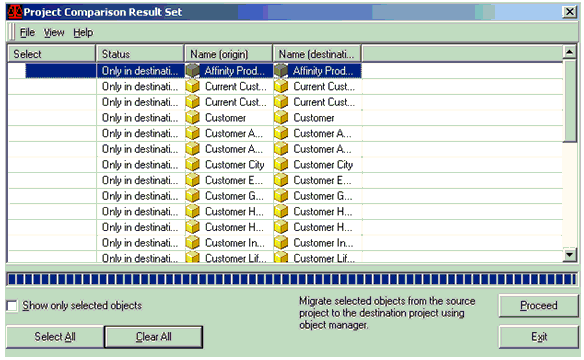
  • The ability to select objects is no longer available in the Project Comparison Result Set window, as shown below:
ka04W000000OgaFQAS_0EM440000002FTC.gif
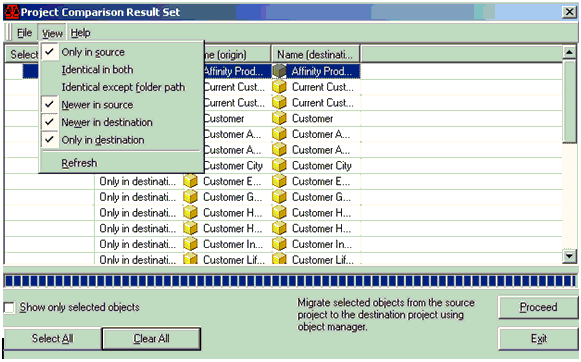
  • Choose the View menu and check 'Only in Source'. Then uncheck all other options and click 'Refresh', as shown below:
ka04W000000OgaFQAS_0EM440000002FTM.gif
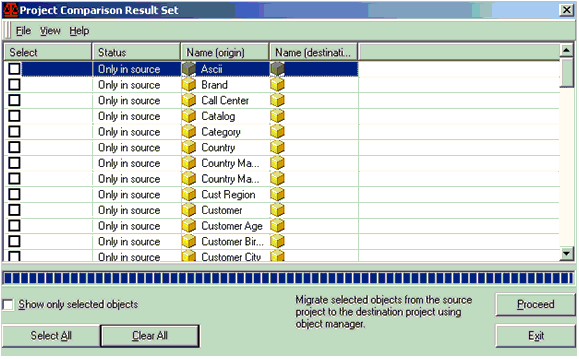
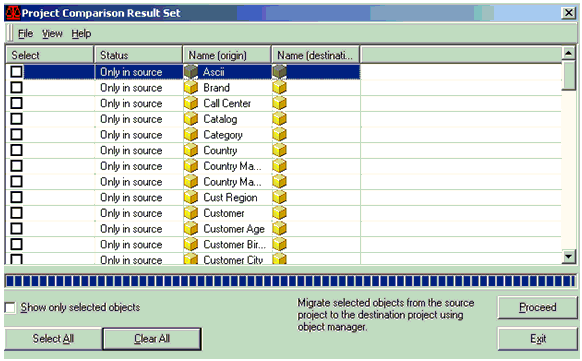
  • Notice that now the ability to select objects in the Project Comparison Result Set window is available, as shown below:
ka04W000000OgaFQAS_0EM440000002FTS.gif

CAUSE:
This is the expected behavior in Strategy Administrator - Object Manager. The checkbox is not enabled for objects 'identical in both' projects or present 'only in the destination' project.


Comment

0 comments

Details

Knowledge Article

Published:

June 13, 2017

Last Updated:

June 13, 2017