SYMPTOM:
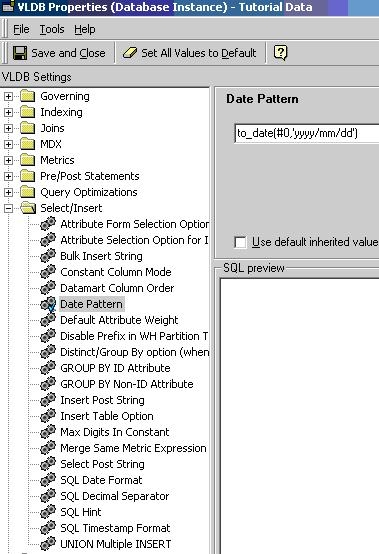
The display format for dates does not change even after changing the SQL Date format and Date Pattern settings under VLDB properties of the project in Strategy Developer. This occurs when the data type of the attribute is timestamp.
For example, if the user sets the date format under VLDB properties as "yyyy/mm/dd", then the SQL for the report will appear as shown below:
select to_date('DAY_DATE', 'dd/mm/yyyy') as DAY_DATE
from LU_DAY
Strategy SQL Generation Engine does not recognize the VLDB settings for the date.
STEPS TO REPRODUCE:
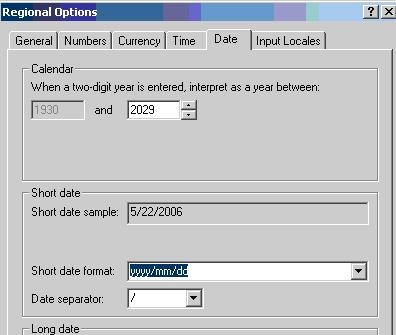
Follow the steps below to reproduce this issue:
CAUSE:
The two advanced VLDB settings, SQL Date format and Date Pattern, are applied only to attributes of the type 'date'. They will not apply to 'datetime' or 'timestamp' data types.
ACTION:
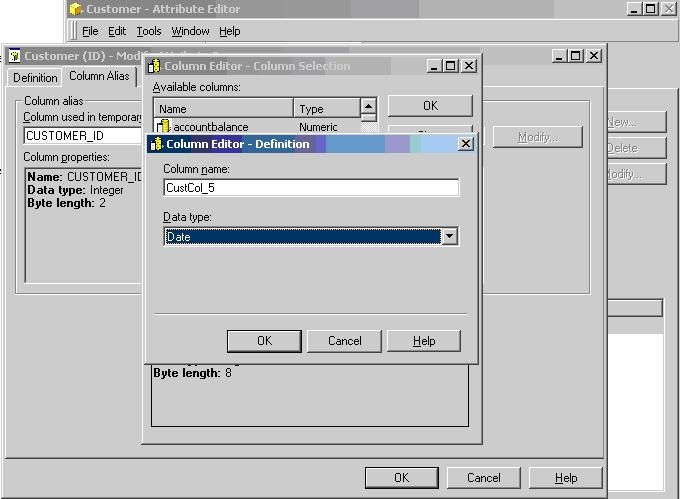
Create a new column alias for the date attribute ID form with the data type 'date'. Now the report execution will return the date in the desired format.
Follow the steps below to change the column alias to data type 'date':