SYMPTOM:
When executing a report from a node that did not create the cache in a clustered environment, the report does not hit cache created on another node and the report is executed against the warehouse in Strategy Intelligence Server.
STEPS TO REPRODUCE:
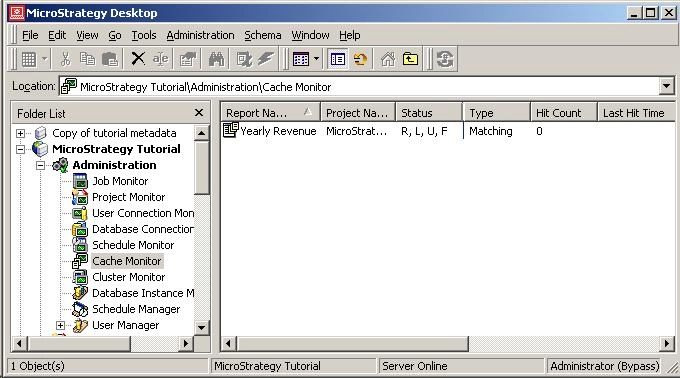
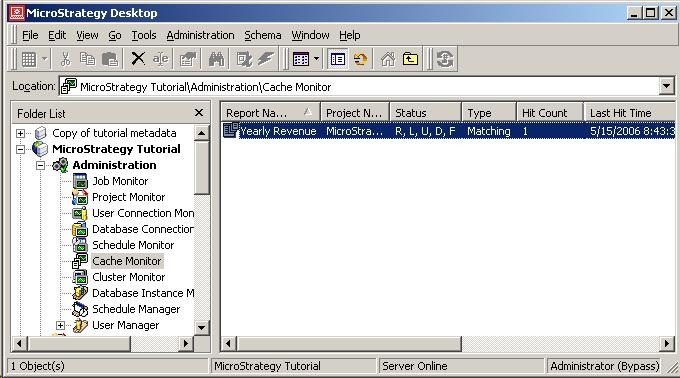
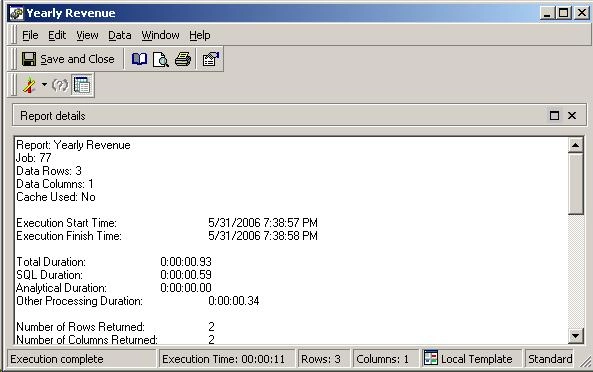
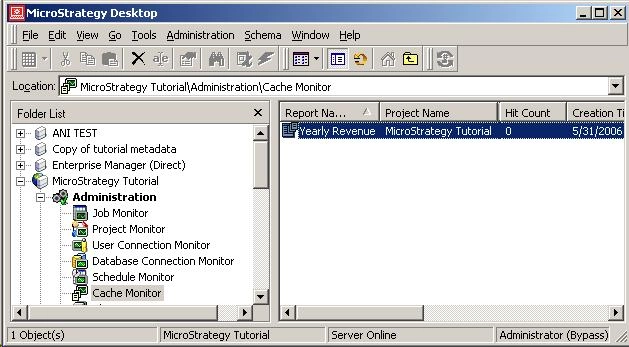
Follow the steps below to reproduce this issue in the Strategy Tutorial project:
CAUSE:
This issue occurs because the Cache Backup Frequency is set to a high value. For example, the Cache Backup Frequency is set to 15 minutes. This means that the cache created on node 1 is not written into disk for the next 15 minutes. Within these 15 minutes, if the same report is executed from node 2, it cannot hit the cache, as this cache is not being shared yet and still exists only in the memory of node 1. As a result, the report is executed against the warehouse and a new cache is created on node 2. When this happens, the cache created on node 1 gets invalidated and the cache is deleted from the first node.
ACTION:
The issue can be resolved by changing the Cache Backup Frequency to 0 minutes. Follow the steps below to change this setting:
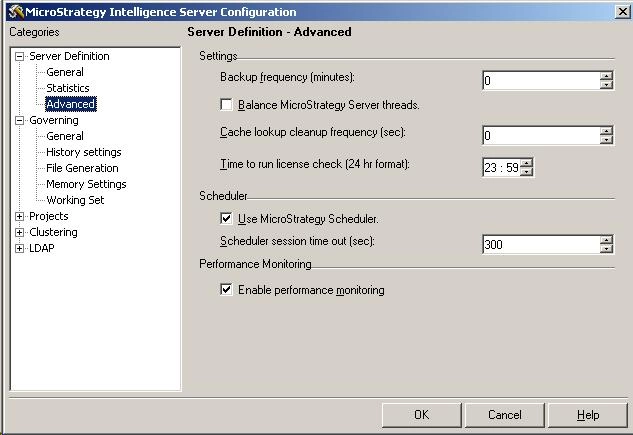
Once the setting is changed to a value of '0', the report cache will be written to disk immediately. Thus, when the report is executed from the node that did not create the cache, it will hit the cache created on node 1.
