In Strategy Narrowcast Server 9.x - 10.x, it is possible to use dynamic content from a grid report inside a Control Document. A Control Document, also called an Execution Control Document, is a plaintext document containing information formatted to a specific syntax which allows various message properties to be set or overwritten. Each Information Transmission Module (ITM) has its own list of allowed properties and the syntax to use for each of them.
This document will follow an example which uses a File ITM control document to dynamically add a region name to the file name when it is written. This technique can be used to add dynamic content from a Strategy grid report to any of the properties allowed by any of the ITMs in a control document. The procedure of this functionality requires the Strategy grid report to follow a strict setup format. The following example will be broken into two sections, setting up the Strategy grid report via Strategy Developer 9.x - 10.x and setting up the Strategy Narrowcast Server 9.x - 10.x Control Document.
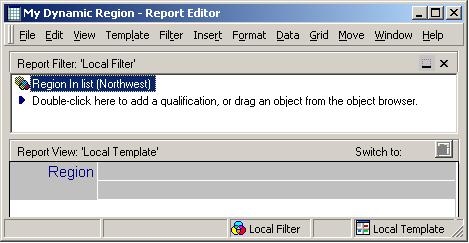
Setting up the Strategy grid report:
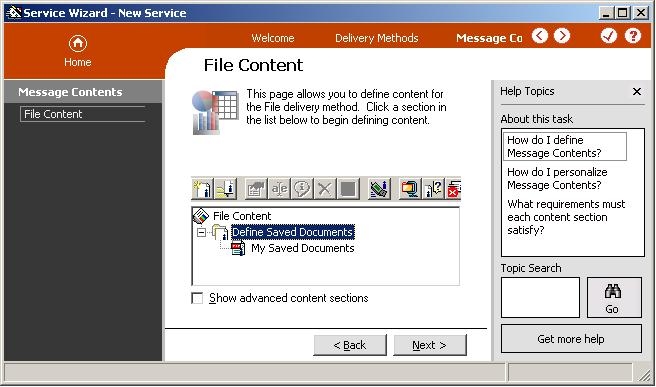
Setting up the Strategy Narrowcast Server service:


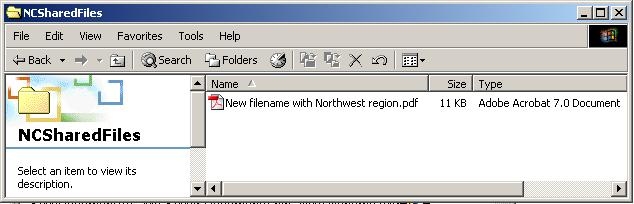
When the service is run, the dynamic content will be inserted into the text. In the example, the filename will look as follows:
Refer to the following Strategy Knowledge Base technical notes and documents for more information:
