EducationSoftwareStrategy.com
StrategyCommunity

Knowledge Base

Product

Community

Knowledge Base

TopicsBrowse ArticlesDeveloper Zone

Product

Download SoftwareProduct DocumentationSecurity Hub

Education

Tutorial VideosSolution GalleryEducation courses

Community

GuidelinesGrandmastersEvents
x_social-icon_white.svglinkedin_social-icon_white.svg
Strategy logoCommunity

© Strategy Inc. All Rights Reserved.

LegalTerms of UsePrivacy Policy
  1. Home
  2. Topics

KB14340: ‘Not a valid month’ error occurs when executing a report in Microstrategy Developer 2021


Stefan Zepeda

Salesforce Solutions Architect • Strategy


SYMPTOM:
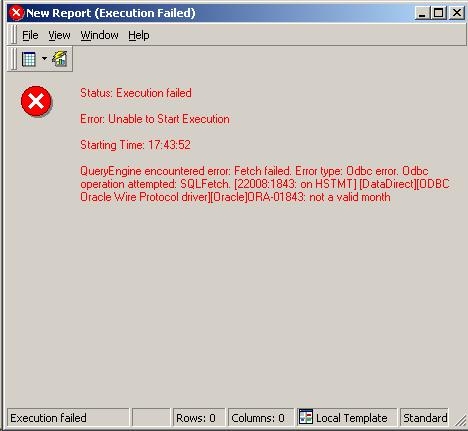
When executing a report that contains a date attribute in the filter of the report definition in Strategy Developer 2021, the following error occurs:
 

ka0PW000000144nYAA_0EM440000002FRw.jpeg


QueryEngine encountered error: Fetch failed. Error type: Odbc error. Odbc operation attempted: SQLFetch. ORA-01843: not a valid month
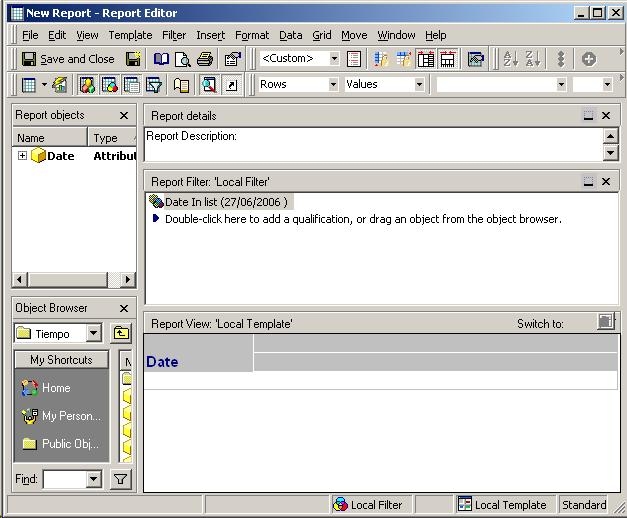
 
The following elements are present in the report definition:
 

ka0PW000000144nYAA_0EM440000002FRy.jpeg

 
CAUSE:
One of the possible causes for this problem is that the VLDB properties at the project level for the database instance generate the wrong SQL.
The SQL generated for the above report is:


select distinct a11.ID_DATE ID_DATE,
a11.ID_DATE_YEAR_LAST ID_DATE_YEAR_LAST
from DM_DATES a11
where a11.ID_DATE in (To_Date('06/27/2006', 'DD-MM-YY'))
Notice from the SQL how the function TO_DATE() has a date string in the form of MM/DD/YYYY but the mask passed with it is in the wrong form.
ACTION:
To resolve this problem, open the VLDB properties at the project level for the database instance in use.
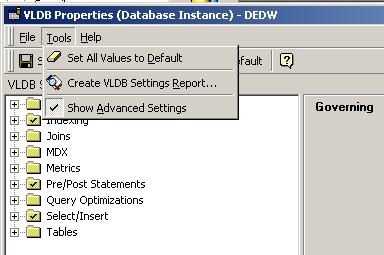
Open Project Configuration -> Database Instances -> VLDB Properties and make sure the option under Tools -> Show Advance Options is selected in the VLDB Properties dialog, as shown below:

ka0PW000000144nYAA_0EM440000002FRz.jpeg

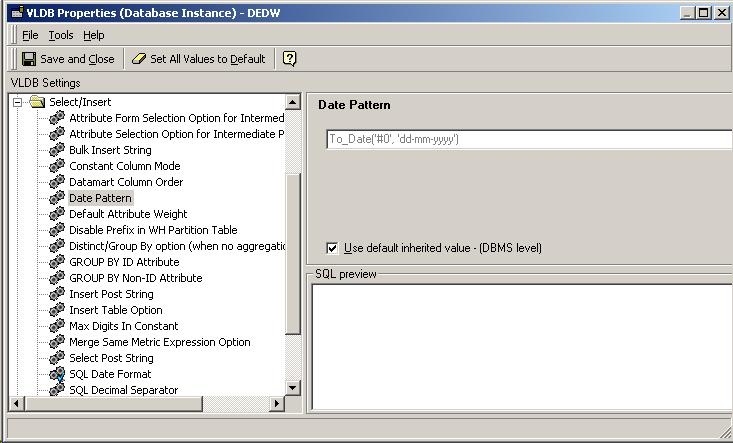
Check that the Date Pattern and Date Format settings from the 'Select/Insert' group are set to use the defaults, as shown below:
ka0PW000000144nYAA_0EM440000002FRZ.jpeg


Comment

0 comments

Details

Knowledge Article

Published:

April 4, 2017

Last Updated:

March 4, 2024