SYMPTOM
When exporting a report containing an image attribute form (using an ApplySimple statement) to PDF in Strategy Web 9.4.1 and 10.x, with the Intelligence Server running on Linux, the image in the exported PDF report appears as a red "X" as shown below:
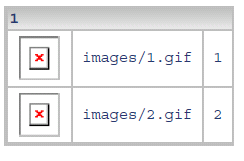
However, the images in the report display properly when the report is executed in Strategy Developer and Web. Furthermore, when the report is exported to PDF on Desktop (with the original images saved in WebASPX\Images), the images in the report display properly, as indicated below:

CAUSE
This is expected behavior. When the report is displayed in Strategy Developer and Web, or when the report is exported to PDF from Strategy Developer, images in the "WebASPX\Images" folder are used. However, when a report that contains images is exported to PDF from Web, the Intelligence Server will attempt to reference the location in the "IntelligenceServer\Images" folder on the Intelligence Server machine and will use the images stored in that location. If there are no images in that location, or the images do not have the same filenames as on the Web machine, the exported report will not be able to properly display the images and a red "X" is displayed instead.
ACTION
This issue can be resolved by placing a copy of the images (with the appropriate naming convention) from the Strategy Web machine into the "IntelligenceServer\Images" folder on the Intelligence Server machine.
KB14356
