SYMPTOM:
Connecting to a SQL Server database from the Strategy ODBC Test Tool in AIX fails with the following error:
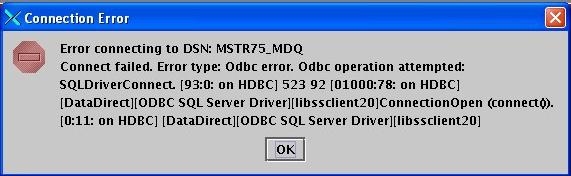
Error connecting to DSN:DSN_Name
Connect failed. Error type: Odbc error. Odbc operatin attempted: SQLDriverConnect. 523 92
ConnectionOpen (connect()).
CAUSE:
A connection cannot be established with the SQL Server database.
ACTION:
After verifying that the DSN is configured correctly in the odbc.ini file, confirm that the problem is specific to connectivity using the information in the following Strategy Knowledge Base technical note:
KB14487 (KB1100-000-0631) - How to test connectivity to SQL Server from UNIX
If the tests show that the issue is indeed with connectivity, contact the SQL Server Administrator and rectify it.
This issue is logged as Scopus ID: 308075 and KB ID: 23533
