SYMPTOM:
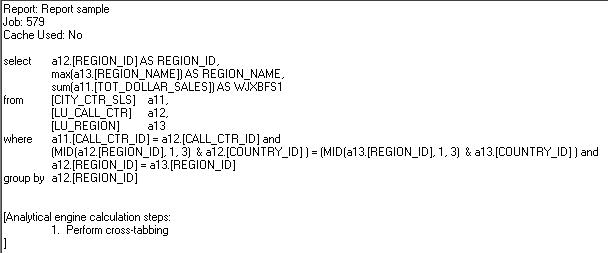
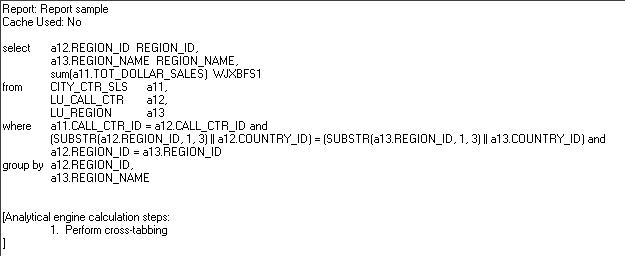
After using Strategy Administrator - Object Manager 9.x and 10.x to migrate a report from one project to another project, the report SQL is different.
STEP TO REPRODUCE:
Follow the steps below to reproduce the issue in the Strategy Tutorial project:
CAUSE:
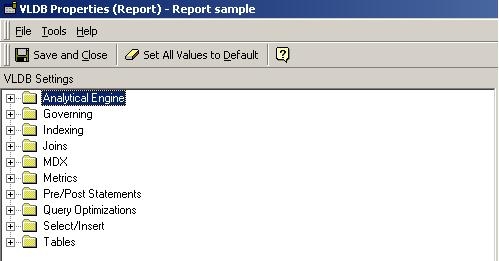
The VLDB settings for both reports are set to the default, but at the database instance level, the VLDB settings for the projects are different.
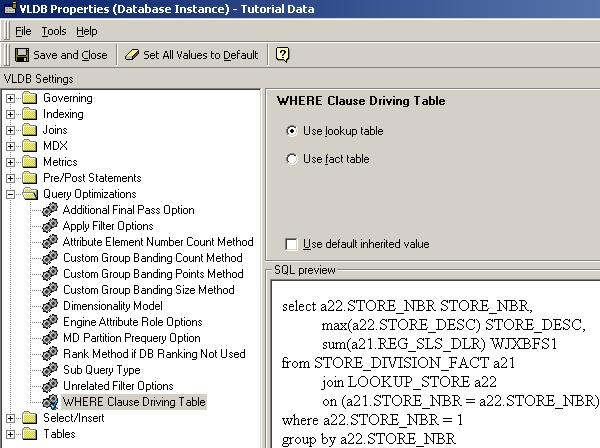
For the example above, in the original Strategy Tutorial project, the Query Optimizations for WHERE Clause Driving Table is set to the default 'Use fact table', as shown below:
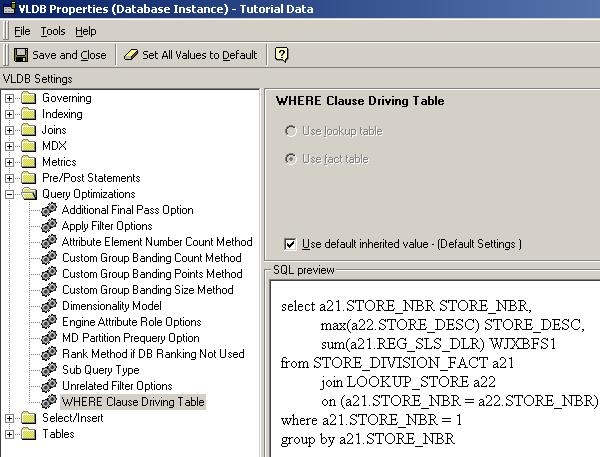
In the Duplicated Tutorial project, the Query Optimizations for Where Clause Driving table is set to 'Use lookup table' as shown below:
ACTION:
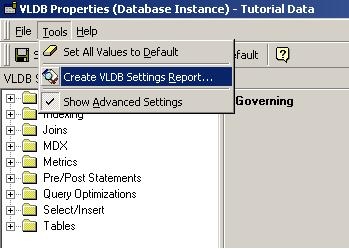
Ensure that the VLDB settings for both project and report levels are the same. When reviewing the VLDB settings, it is best to create a report of the settings in each environment by selecting 'Create VDLB settings report' from the Tools menu, and then compare the reports to see the differences, as shown below:
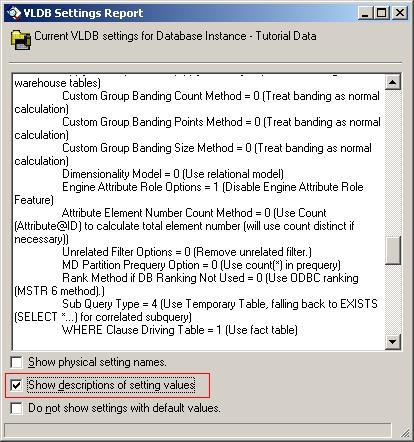
NOTE: For easier comparison, users can select to show the description of each VLDB setting in the report, as shown below:
Additionally, there are freeware Microsoft Windows tools for visual file comparison available to assist users in comparing the text files, such as ExamDiff which can be downloaded.
Third Party Software Installation:
The third-party product(s) discussed in this technical note is manufactured by vendors independent of Strategy. Strategy makes no warranty, express, implied or otherwise, regarding this product, including its performance or reliability.
