In Strategy Web, one of the preferences in the project defaults is the 'Project Alias', as shown below:
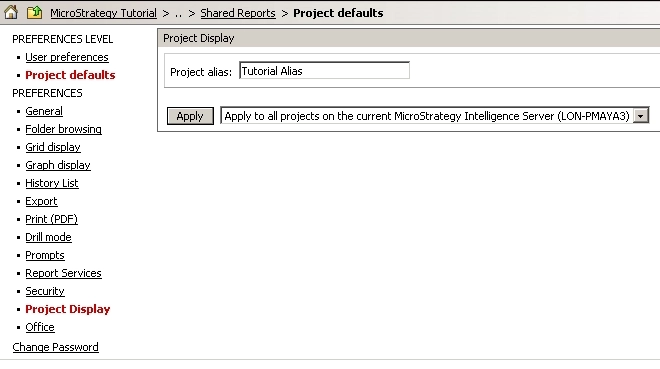
When applying a project alias to a project, the name of the project being displayed to the users will change to the alias specified, as shown below:

This preference is saved in the Web Server machine in a text file under the following directory:
\Web ASPx\WEB-INF\xml
The name of the file would follow the following pattern:
sys_defaults_{Machine_Name}${Project Name}
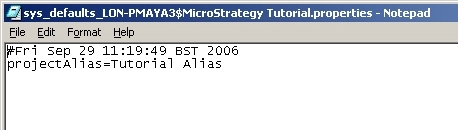
In this example, the machine name is LON_PMAYA3 and the project name is Strategy Tutorial, making the full name of the file sys_defaults_LON-PMAYA3$Strategy Tutorial.properties.
If the user edits the file, they will see in clear text the value of the preference together with the date the file was last modified, as shown below:
NOTE: If more than one Web Server is used to host the same web site, this file will need to be generated in all Web Servers for the change to take effect.
