EducationSoftwareStrategy.com
StrategyCommunity

Knowledge Base

Product

Community

Knowledge Base

TopicsBrowse ArticlesDeveloper Zone

Product

Download SoftwareProduct DocumentationSecurity Hub

Education

Tutorial VideosSolution GalleryEducation courses

Community

GuidelinesGrandmastersEvents
x_social-icon_white.svglinkedin_social-icon_white.svg
Strategy logoCommunity

© Strategy Inc. All Rights Reserved.

LegalTerms of UsePrivacy Policy
  1. Home
  2. Topics

KB14985: How does the connection pooling work in MicroStrategy Web?


Community Admin

• Strategy


The tech note explains how the connection pooling works in MicroStrategy Web

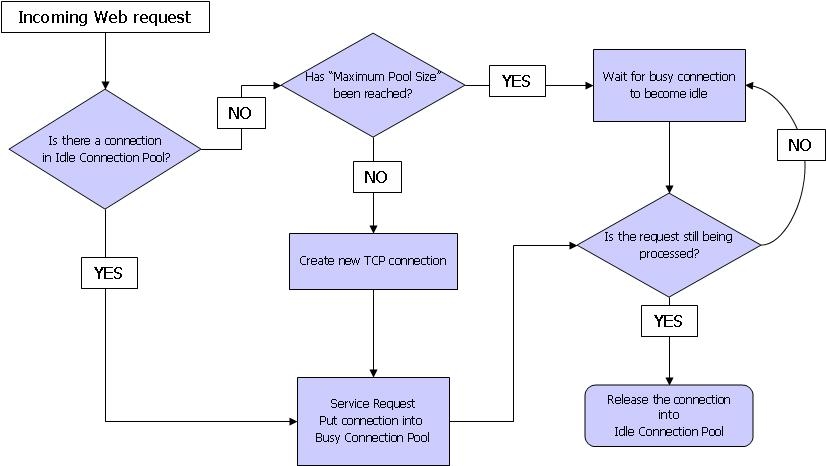
A connection pool is a collection of TCP connections maintained in the Web server's memory. There are two types of TCP connections: busy and idle.
Below is a diagram of the flow of information:
 

ka04W000000Oe3YQAS_0EM4400000028q8.jpeg

 
The Web server will create a new TCP connection if it determines that only two connections are idle. For example, if Initial Pool Size is two, when the first user logs in to Strategy Web, a new TCP connection is created. TCP connections will stay open (in an established state) until only one of the following two events occurs:

  1. Strategy Intelligence Server is manually disconnected from the Web server.
  2. The Web server determines that Strategy Intelligence Server is down.

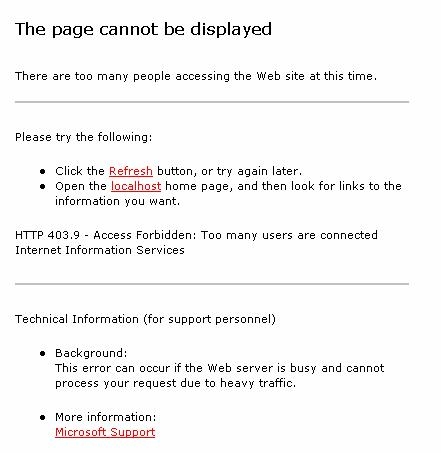
If no connection is available within the timeout setting, the user receives a 'server busy' error message, as shown below:
ka04W000000Oe3YQAS_0EM4400000028q9.jpeg

 
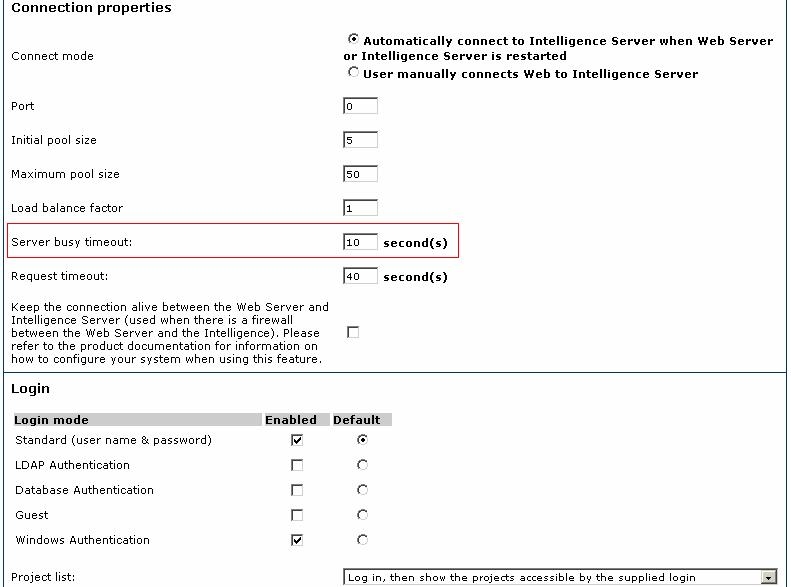
By default, the setting 'Server busy timeout' is set to 10 seconds, as shown below:
 

ka04W000000Oe3YQAS_0EM4400000028qJ.jpeg


Comment

0 comments

Details

Knowledge Article

Published:

April 1, 2017

Last Updated:

April 1, 2017