SYMPTOM:
A user has created the following report executed through Strategy Web 9.x:
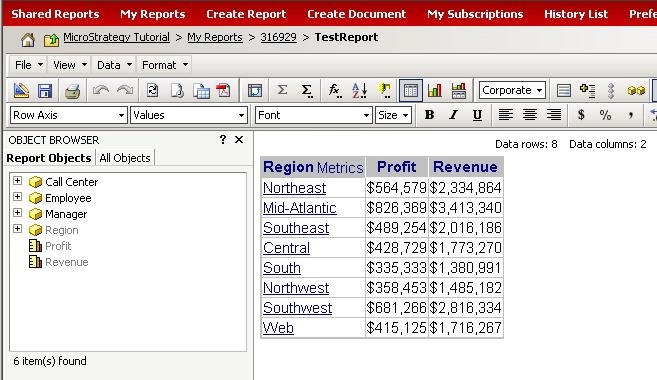
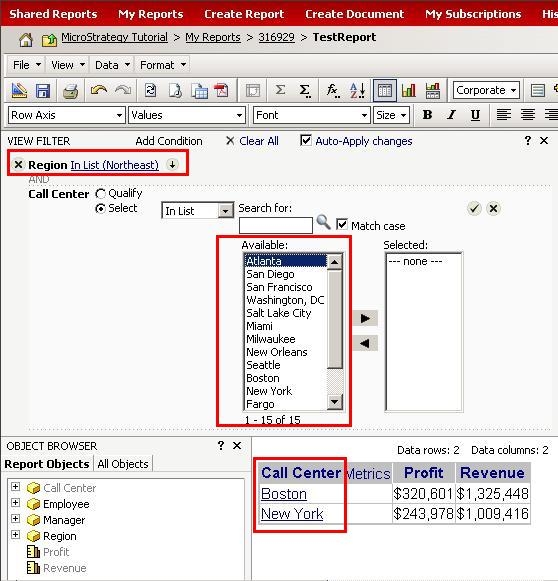
The user clicks on Region to drill down to the Call Center level for the Region 'Mid Atlantic'. Then the user chooses View -> View Filter and only wants to show one Call Center. Upon the drill menu appearing, the user notices two things illustrated below:
CAUSE:
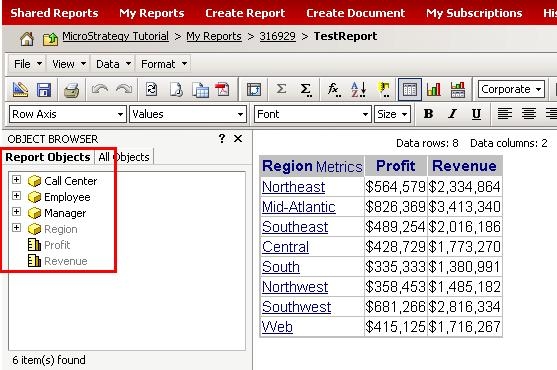
This is working by design. The Report Objects window contains the attribute Call Center, which the user was drilling on, as illustrated below. Therefore, so that a new report execution is not kicked off by changing the SQL and the OLAP Services report is taken advantage of, a simple view filter is applied to the report instead. This means that all of the available Call Centers in the report cache will be displayed as available to be filtered on. Other view filters do not get applied to attribute element lists for users to select from when defining a view filter.
ACTION:
To make the elements available match only those on the grid report, remove the attribute that is being drilled to from the report.
