EducationSoftwareStrategy.com
StrategyCommunity

Knowledge Base

Product

Community

Knowledge Base

TopicsBrowse ArticlesDeveloper Zone

Product

Download SoftwareProduct DocumentationSecurity Hub

Education

Tutorial VideosSolution GalleryEducation courses

Community

GuidelinesGrandmastersEvents
x_social-icon_white.svglinkedin_social-icon_white.svg
Strategy logoCommunity

© Strategy Inc. All Rights Reserved.

LegalTerms of UsePrivacy Policy
  1. Home
  2. Topics

KB14991: ‘One of the custom group elements of type embedded filter doesn't have proper output level or has empty definition’ error occurs when executing a report containing prompts in the custom groups in MicroStrategy


Community Admin

• Strategy


This article notes an error that can occur with custom groups purely based on optional prompts

SYMPTOM:
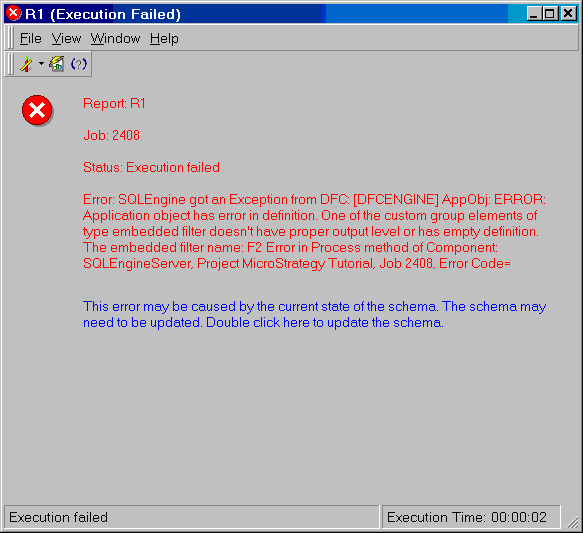
A user has created a report with a custom group having filters containing optional prompts in Strategy. If the user skips any one of the prompts, the following error occurs:
 

ka04W000000OanNQAS_0EM440000002VDO.jpeg


Error: SQLEngine got an Exception from DFC: AppObj: ERROR: Application object has error in definition. One of the custom group elements of type embedded filter doesn't have proper output level or has empty definition. The embedded filter name: F2 Error in Process method of Component: SQLEngineServer, Project Strategy Tutorial, Job 2408, Error Code= -2147212800.
 
STEP TO REPRODUCE:
Follow the steps below to reproduce the issue using the Strategy Tutorial Project:
 

  • Create two prompts on the Geography hierarchy. Make both prompts optional, as shown below:
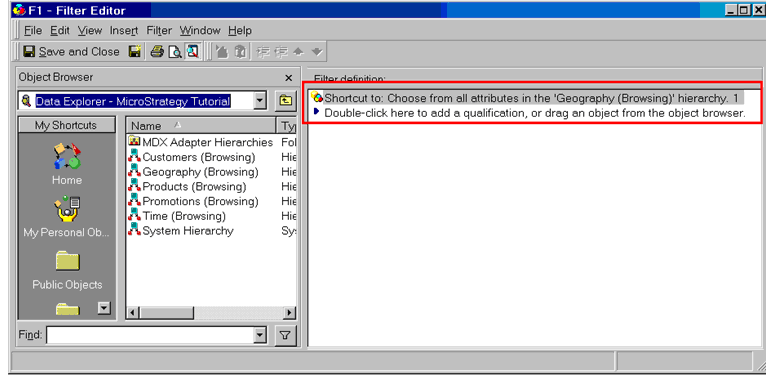
  • Create two filters and embed the two prompts respectively, as shown below:
ka04W000000OanNQAS_0EM440000002VDI.jpeg
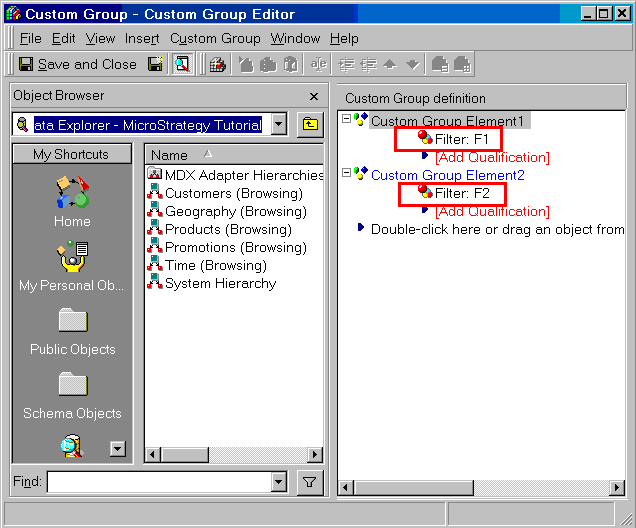
  • Create a custom group with two elements by using the two filters, as shown below:
ka04W000000OanNQAS_0EM440000002VDP.jpeg
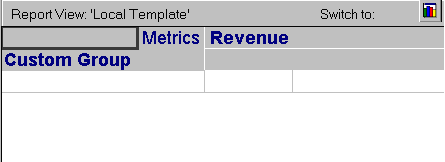
  • Create a report with the custom group, as shown below:
ka04W000000OanNQAS_0EM440000002VDN.jpeg
  • Execute the report and skip one prompt, as shown below:
  •  
    The error described above will occur.
     

CAUSE:
This is a known issue in Strategy Desktop 8.1.x, 9.0.x, and 9.2.x.
 
ACTION:
Contact Strategy Technical Support for an update on the status of the issue.
 
WORKAROUND:
Instead of creating separate filter objects, directly embed the prompts into the custom group filter qualification, as shown below:
 
KB14991


Comment

0 comments

Details

Knowledge Article

Published:

July 18, 2017

Last Updated:

January 3, 2019