SYMPTOM:
When users apply a search object in the object prompt, the object prompt cannot be added to any place in a report in Strategy Developer 9.4.1 and 10.x. When right-clicking on the object prompt, the options 'Add to Row', 'Add to Column', 'Add to Page-by', and 'Add to Report Objects', are grayed out.
STEP TO REPRODUCE:
Follow the steps below to reproduce this issue in the Strategy Tutorial project:
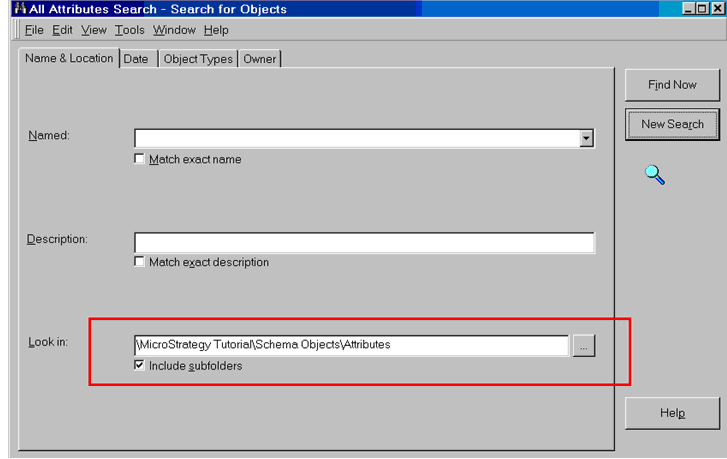
NOTE: All options are disabled.
CAUSE:
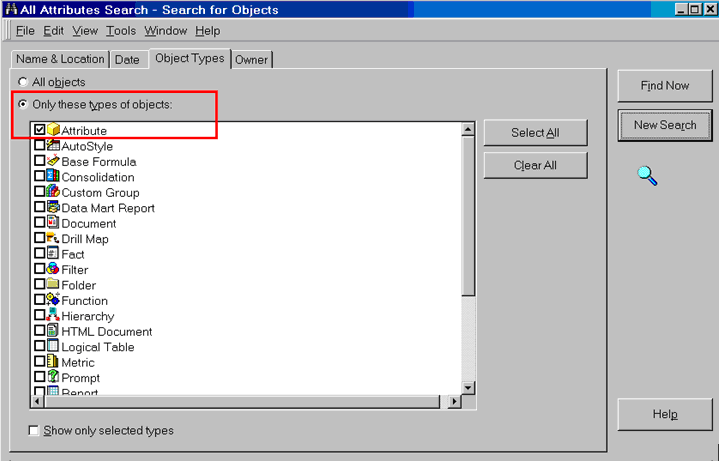
The search object contains more than one object type.
ACTION:
Users should check the search object and see if there is more than one object type in it, as shown below: