SYMPTOM:
A user is prompted to select a certificate after exporting a report from Strategy Web. This issue is often specific to certain client machines.
CAUSE:
This issue can be caused by improperly set Microsoft Internet Explorer options.
ACTION:
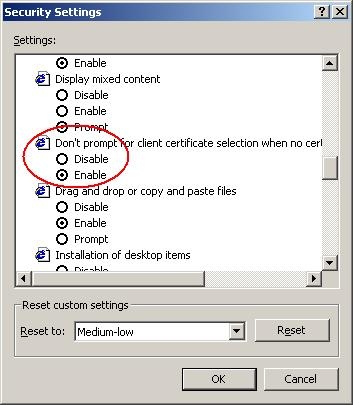
In Internet Options, select the 'Security' tab, then click 'Custom Level.' Locate the option 'Don't prompt for client certificate selection when no certificates or only one certificate exists' and set to 'Enable,' as shown below: