When an ASP.NET error occurs in Strategy Web .NET, the user sees a page similar to the one below:
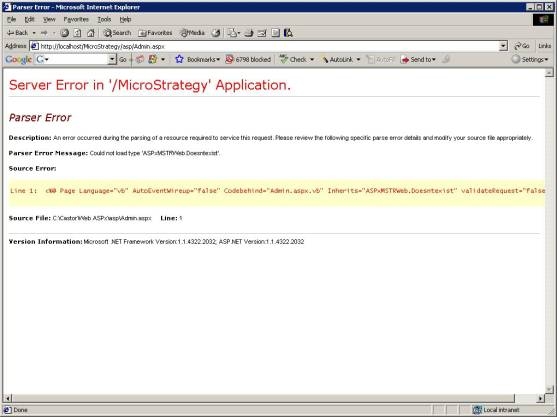
Administrators may prefer to show end users a more user-friendly message, or they may not wish to expose details such as physical paths to end users. The administrator can customize the error page that ASP.NET sends to the client by editing the web.config file (located in 'C:\Program Files\Strategy\Web ASPx' by default). Specifically, this information is contained in the <customErrors> node, which looks like this by default:
<customErrors mode="Off" />
This tells ASP.NET to always send the default error page (with detailed error information) to the client when an error occurs. To provide a more user-friendly error page to end users, while allowing the administrator to see the detailed error page, customize the <customErrors> element as follows:
<customErrors mode="RemoteOnly" defaultRedirect="~/asp/<your error page>"/>
Changing the mode to "RemoteOnly" causes the detailed ASP.NET error page to be shown only to clients connecting from the web server machine itself. The defaultRedirect attribute specifies the page that remote users will see. <your error page> could be any type of page, such as an HTML page or an .aspx page. A relative URL is used here (the tilde (~) represents the root of the web application), but an absolute URL can also be used. It is also possible to specify different error pages for different HTTP status codes.
For more information on customizing the <customErrors> node, see its page in the ASP.NET settings schema. For more general information about error handling in ASP.NET, see Microsoft Knowledge Base article #306355.
WARNING: Modifying ASP.NET resources may cause incorrect display of Strategy Web pages. Strategy strongly recommends a backup be made before any alterations to these resources.
