SYMPTOM:
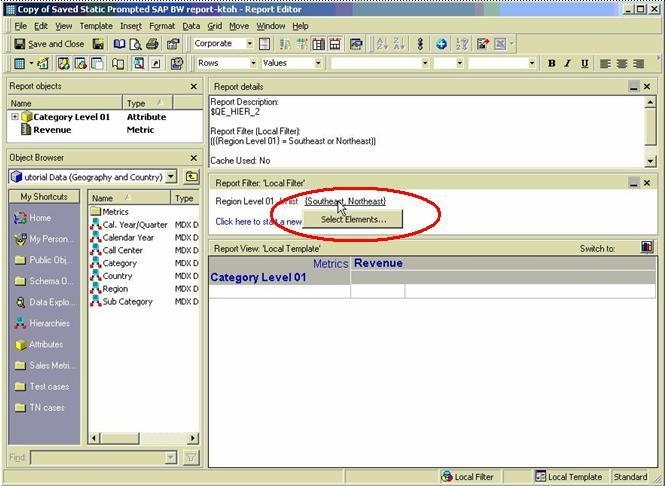
SAP BW reports with Strategy built prompts in Strategy Developer 9.x and 10.x allow the user to edit the selections in the edit mode (but not prompting when executed) as shown below:
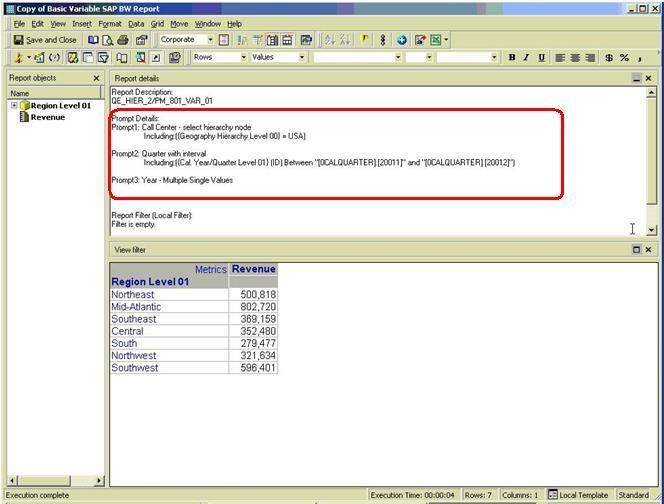
However, the SAP variable-converted prompts do not have that option, as shown below:
CAUSE:
If the prompt in the SAP BW report was created in Strategy, then the details will be visible in the report filter. To create a prompt in a SAP BW report, create an attribute filter and choose the elements. Then, click on the element list and choose the option 'convert to prompt.'
SAP BW has another type of prompt that is not defined in Strategy. Instead, it is defined in the source data cube in SAP and is called a 'variable.' SAP variables are imported into the Strategy metadata as prompts and are shown to the user as prompts, but the answers are not displayed in the report filter.
This difference in the behavior of SAP BW reports between the Strategy-built prompts and the imported prompts (SAP variables) is the current product design in Strategy Intelligence Server 9.x and 10.x. An enhancement request has been logged with Strategy Technology to synchronize the behavior.
ACTION:
Contact Strategy Technical Support for an update on the status of the request.
