SYMPTOM:
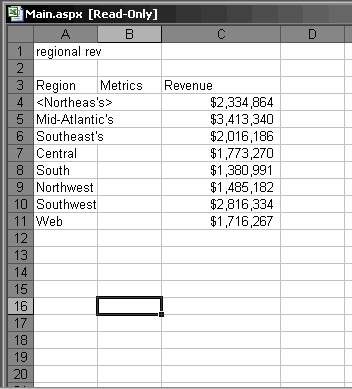
Exporting to Microsoft Excel with plain text from Strategy Web converts the greater than (>) and less than (<) signs to '& lt;' and '& gt;'. This is exhibited when HTML Output is not allowed on plain text exporting. In the example below, a greater than and less than sign has been added around the Northeast region:

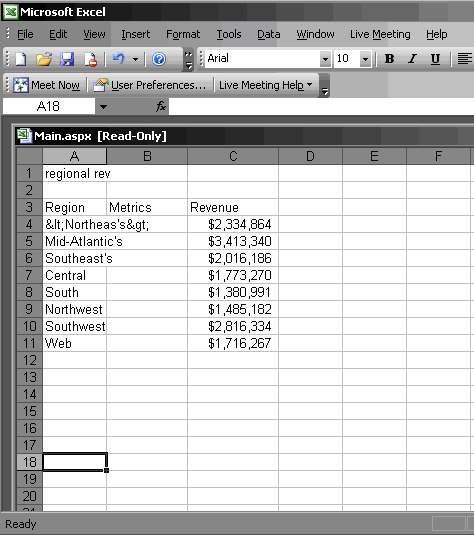
Notice that when the report is exported with plain text to Microsoft Excel, the greater than and less than signs are converted to '& lt;' and '& gt;' as shown below:
CAUSE:
This occurs when HTML output is not allowed on plain text exports.
ACTION:
To allow HTML output for plain text exports, follow the steps below:

After this text box is checked enabling HTML output on plain text exports, the same report exported will show the greater or less than sign rather than the HTML equivalent, as shown below: