EducationSoftwareStrategy.com
StrategyCommunity

Knowledge Base

Product

Community

Knowledge Base

TopicsBrowse ArticlesDeveloper Zone

Product

Download SoftwareProduct DocumentationSecurity Hub

Education

Tutorial VideosSolution GalleryEducation courses

Community

GuidelinesGrandmastersEvents
x_social-icon_white.svglinkedin_social-icon_white.svg
Strategy logoCommunity

© Strategy Inc. All Rights Reserved.

LegalTerms of UsePrivacy Policy
  1. Home
  2. Topics

KB15226: 'File or assembly name MLLICSUP, or one of its dependencies, was not found' error occurs when opening MicroStrategy Web 9.x and above after the installation.


Community Admin

• Strategy


When a user opens MicroStrategy Web 9.x and above after the installation, the following error occurs: 'File or assembly name MLLICSUP, or one of its dependencies, was not found'

SYMPTOM:
When a user opens Strategy Web 9.x and above after the installation, the following error occurs:
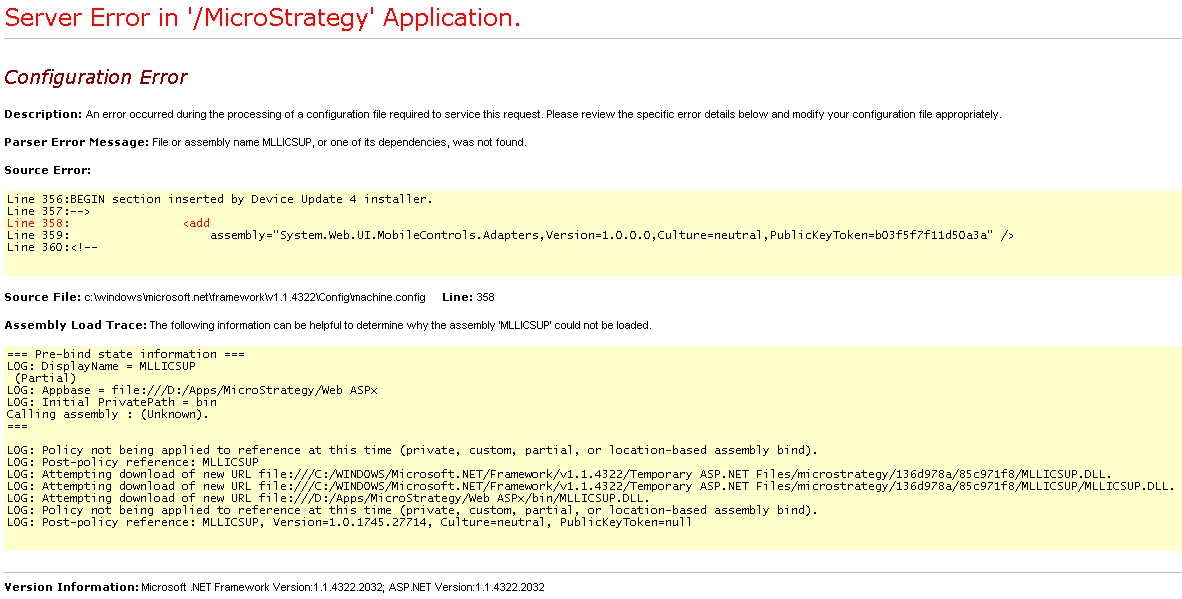
ka04W000000OcBfQAK_0EM4400000028pR.jpeg

 
File or assembly name MLLICSUP, or one of its dependencies, was not found
CAUSE:
One possible cause is that the PATH variables are not set correctly.
 
ACTION:
Verify that the Strategy variables are separated by a semicolon and that they are correctly defined as shown below:
c:\bin;C:\CommonFiles
Instead of:
c:\binC:\CommonFiles
There are some other causes for this issue. Check the following Strategy Knowledge Base technical notes for more details:
KB14512 (KB5600-80X-2323) - When trying to access the Web Administrator page, error 'File or assembly name MLLICSUP, or one of its dependencies, was not found' occurs in Strategy Web
KB11682 (KB5600-800-1562) - "Unverifiable assembly 'MLLICSUP' failed policy check." error message appears when users attempt to access the Strategy 9.x Web Server for the first time following an installation.


Comment

0 comments

Details

Knowledge Article

Published:

May 19, 2017

Last Updated:

May 19, 2017