Question:
What does the 'Reload Table Values' button do in Strategy Developer?
Answer:
The 'Reload Table Values' button refreshes the data displayed in the 'Values' window, just as the 'Refresh' button works in a Web browser. To access it, follow the steps below:
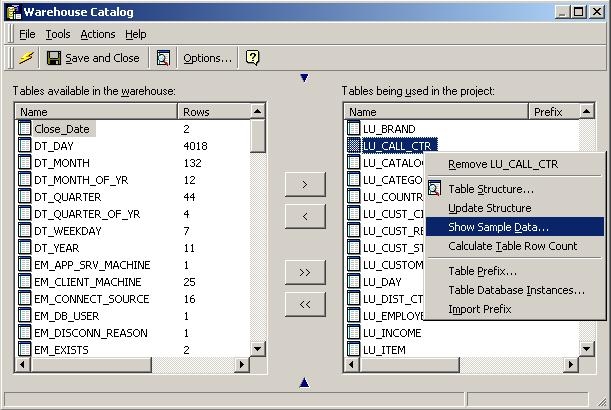
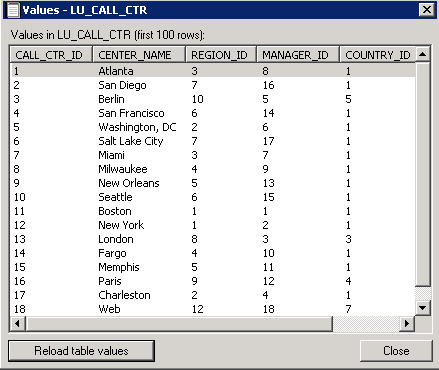
The 'Reload Table Values' button causes Strategy to run the same SQL used to populate the window when the user selected 'Show Sample Data.' The actions Strategy performs are:
The first 100 rows of the selected table are then displayed on screen in a window titled 'Values - <Table Name>'. If changes have been made to the source warehouse table since the 'Show Sample Data' window was opened, those changes will be visible upon clicking the reload table values button. This behavior is akin to the 'Refresh' button in a web browser. Clicking the 'Refresh' button forces the browser to go back to the source and obtain the page again, showing any changes since the time the page was first loaded.
