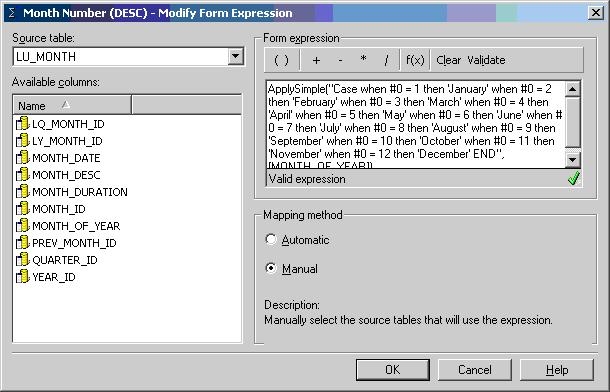
When using a warehouse that has a table storing month values only as a number, users wish to also display the corresponding month names in Strategy Developer 10.x. The month names do not originally reside in the warehouse tables and the user does not want to manually input the values into the warehouse. The following will detail how to accomplish this task without manual data entry into the warehouse.
NOTES:
To display the corresponding month names, follow the steps below in the Strategy Tutorial project:


The following is a representation of the month attribute created above within a report. The attribute is named "Month Number" and the DESC and ID forms are being displayed.

