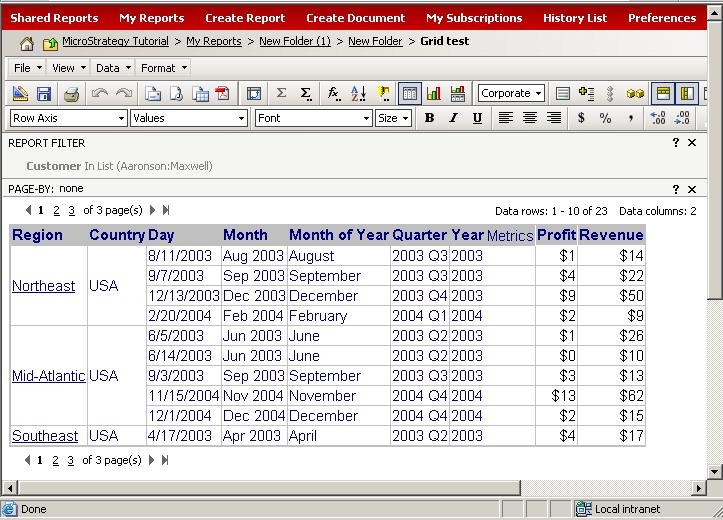
In Strategy Web, users can control the number of rows and columns displayed per report before it splits to multiple pages. Consider the following example where the report displays 1 to 10 rows of 23 as specified in the right-hand corner above the grid:
To change the number of rows or columns to be displayed when executing a report, click on Preferences. The following window opens upon selecting Grid Display under User Preferences:

Currently, the value for Maximum rows in a grid and Maximum columns in a grid is set to ten, as shown above. Change the value for Maximum rows in a grid and Maximum columns in a grid to 50 and click Apply, as shown below:
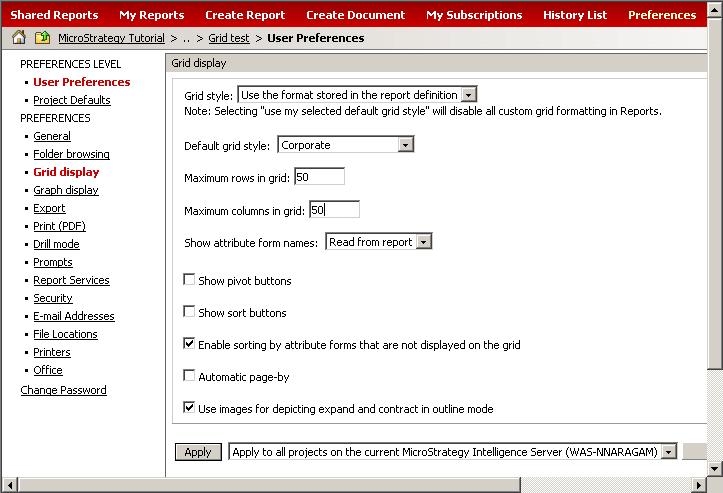
Execute the report again. Now all 23 rows are displayed in one page, as shown below:

