EducationSoftwareStrategy.com
StrategyCommunity

Knowledge Base

Product

Community

Knowledge Base

TopicsBrowse ArticlesDeveloper Zone

Product

Download SoftwareProduct DocumentationSecurity Hub

Education

Tutorial VideosSolution GalleryEducation courses

Community

GuidelinesGrandmastersEvents
x_social-icon_white.svglinkedin_social-icon_white.svg
Strategy logoCommunity

© Strategy Inc. All Rights Reserved.

LegalTerms of UsePrivacy Policy
  1. Home
  2. Topics

KB15705: How to sort the attributes in the System Hierarchy in Microstrategy Desktop 9.4.1 and Developer 10.x


Stefan Zepeda

Salesforce Solutions Architect • Strategy


This article describes how to sort the attributes in the System Hierarchy in Microstrategy Desktop 9.4.1 and 10.x

SYMPTOM:
When opening the System Hierarchy in Strategy Desktop 9.4.1 and Developer 10.x, the attributes can appear unsorted, as shown below:
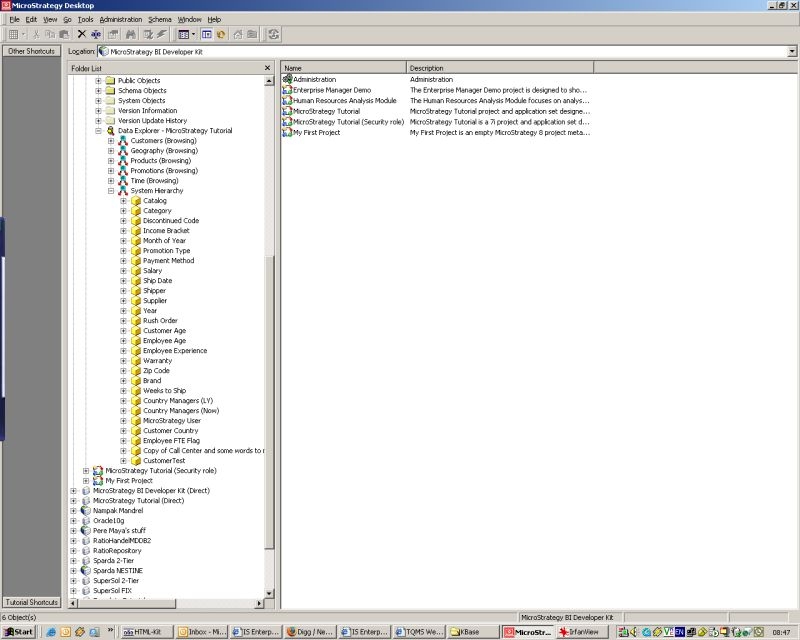
 

ka02R000000kbxIQAQ_0EM440000002FHm.jpeg

 
ACTION:
Login to the affected project as Administrator. Right-click on the project and select Project Configuration > Project Definition > Advanced > Display Attribute Alphabetically in Hierarchy Prompt. Once the setting has been enabled, the system hierarchy will be sorted, as shown below:
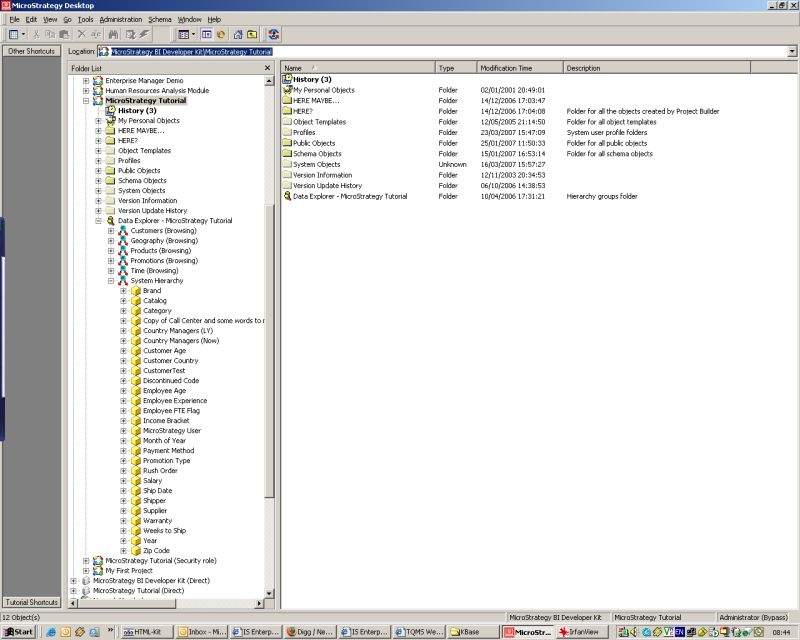
 

ka02R000000kbxIQAQ_0EM440000002FHl.jpeg


Comment

0 comments

Details

Knowledge Article

Published:

June 5, 2017

Last Updated:

June 5, 2017