Strategy Web allows you to answer value prompts using the parameter valuePromptAnswers followed by the answer to the value prompt.
Suppose a user has a numeric value prompt embedded in the filter of a report to select the category ID, as shown below.
[1] In Strategy Web:
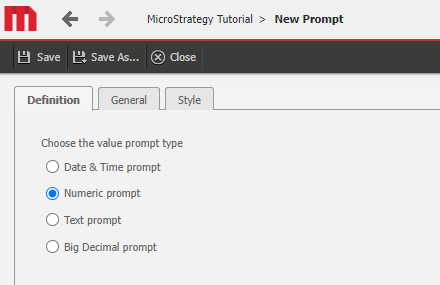
a. Create a Value Prompt
b. Select the 'Numeric' prompt type
c. Save the prompt
[2] Then create a Report with 'Year' attribute and a metric.
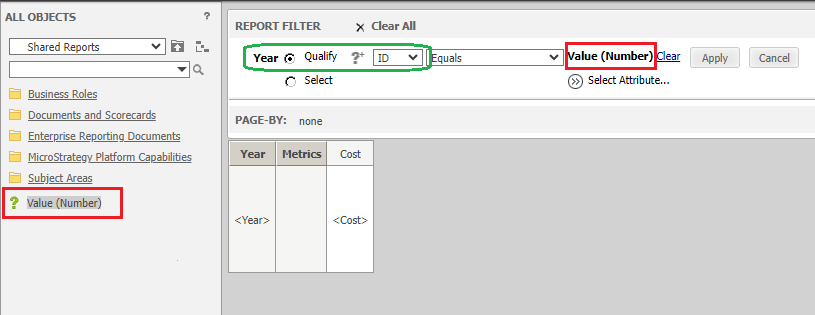
a. Add the Year attribute to the Report filter
b. Ensure the filter is "Qualify" on "ID"
c. Drag the value prompt to the Year filter and click "Apply"
d. Save the Report
[3] Then, navigate to the folder where the the Report was saved.
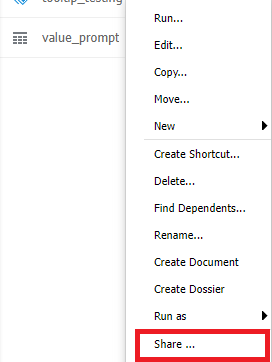
[4] Right-Click the Report, and select "Share"
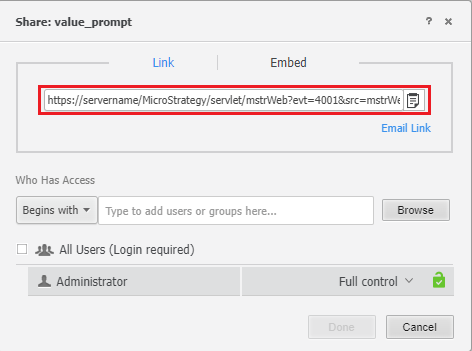
[5] Copy the URL shown as this Share Link for executing the Report is the baseline that will be used to construct the URL API.
For example:
https://servername/MicroStrategy/servlet/mstrWeb?evt=4001&src=mstrWeb.4001&visMode=0&reportViewMode=1&reportID=1009D6BE437AB0E1659A4EA2412D3A35&Server=SERVERNAME&Project=Strategy%20Tutorial&Port=0&share=1
[6] Append the valuePromptAnswers parameter and a value to the Share Link (shown below)
a. Passing the year '2014' as the prompt answer:
&valuePromptAnswers=2014
b. The whole link together with the parameter appended:
https://servername/MicroStrategy/servlet/mstrWeb?evt=4001&src=mstrWeb.4001&visMode=0&reportViewMode=1&reportID=1009D6BE437AB0E1659A4EA2412D3A35&Server=SERVERNAME&Project=Strategy%20Tutorial&Port=0&share=1&valuePromptAnswers=2014
[7] Execute the full URL in the browser and note that the report will execute and the value prompt will be answered with '2014' for the Year attribute. (the report should now be filtered by the Year '2014')
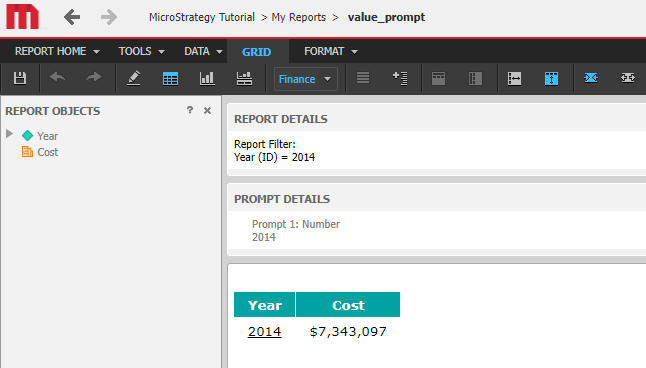
Note: that the value passed in the valuePromptAnswers is shown in the Report Filter and Prompt details.
Customization Code Warning:
This customization is provided as a convenience to Strategy users and is only directly applicable to the version stated. While this code may apply to other releases directly, Strategy Technical Support makes no guarantees that the code provided will apply to any future or previous builds. In the event of a code change in future builds, Strategy may not be able to provide additional code on this matter even though this customization is provided at this time for this specific build
