SYMPTOM:
When attempting to start Tomcat to run Strategy Web Universal or Strategy Library, users may be presented in with the following message. NOTE: The example below displays the error in a command window, but the error may also occur when starting Tomcat through other interfaces:
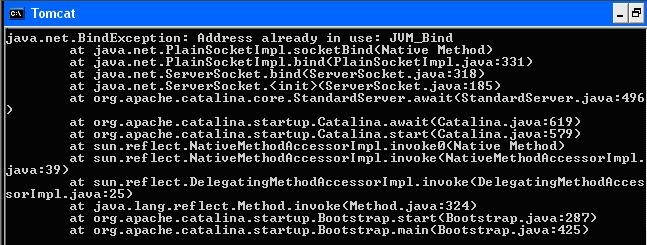
java.net.BindException: Address already in use: JVM_Bind
at java.net.PlainSocketImpl.socketBind(Native Method)
at java.net.PlainSocketImpl.bind(PlainSocketImpl.java:331)
at java.net.ServerSocket.bind(ServerSocket.java:318)
at java.net.ServerSocket.<init>(ServerSocket.java:185)
at org.apache.catalina.core.StandardServer.await(StandardServer.java:496)
at org.apache.catalina.core.StandardServer.await(Catalina.java:619)
at org.apache.catalina.core.StandardServer.start(Catalina.java:579)
at sun.reflect.NativeMethodAccessorImpl.invoke0(Native Method)
at sun.reflect.NativeMethodAccessorImpl.invoke(NativeMethodAccessorImpl.java:39)
at sun.reflect.DelegatingMethodAccessorImpl.invoke(DelegatingMethodAccessorImpl.java:25)
at java.lang.reflect.Method.invoke(Method.java:324)
at org.apache.catalina.startup.Bootstrap.start(Bootstrap.java:287)
at org.apache.catalina.startup.Bootstrap.main(Bootstrap.java:425)
CAUSE:
This error occurs when the ports defined in Tomcat server.xml file are already in use. By default, Tomcat has the following ports defined in the server.xml file:
Shutdown Port: 8005
HTTP Port: 8080
HTTPS Port: 8443
ACTION:
It's recommended to change the default port number configured in Tomcat server.xml or do the similar change for the other application to resolve the port conflict. For instructions on how to modify the default Tomcat port, refer Tomcat product documentation.
Third Party Software Installation:
WARNING:
The third-party product(s) discussed in this technical note is manufactured by vendors independent of Strategy. Strategy makes no warranty, express, implied or otherwise, regarding this product, including its performance or reliability.
