The metric editor in Strategy Developer has a second panel of property settings, accessible from the 'Subtotals/Aggregation' tab, as shown below:
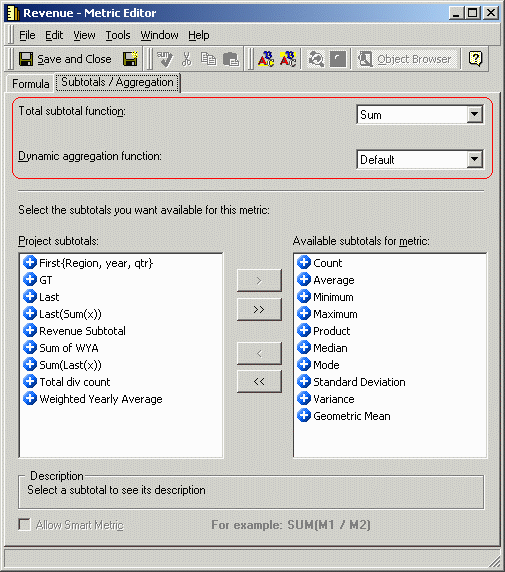
This articles discusses the first two settings, 'Total subtotal function' and 'Dynamic aggregation function.'
Total subtotal function
This setting specifies which Subtotal object in the metadata will be used to calculate the subtotal for this metric when the Total subtotal type is used in a report.
It is important to be clear about two types of subtotal definitions that exist in the Strategy metadata.
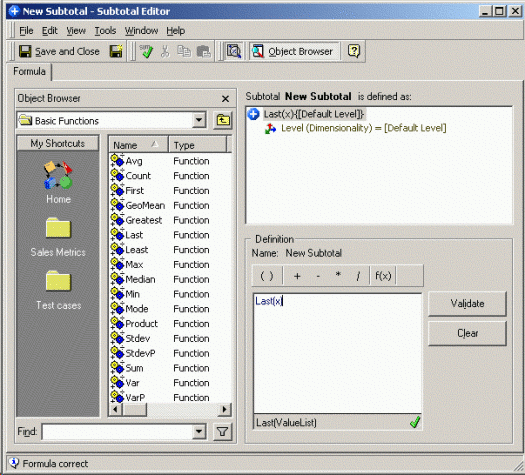
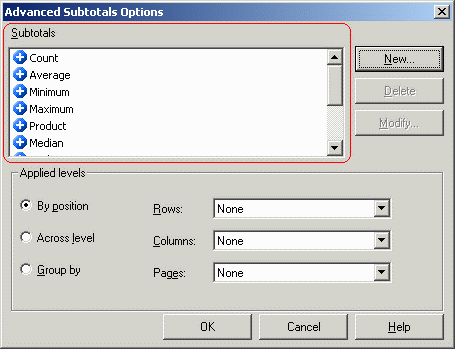
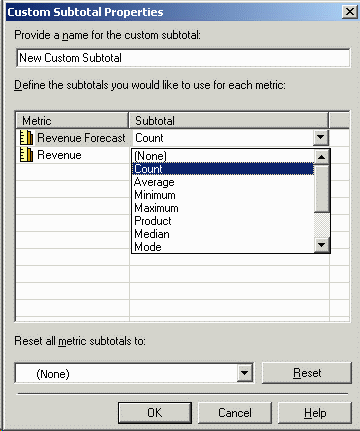
For instance, if a user needs to create a subtotal line that displays a Count subtotal for one metric and an Average subtotal for a different metric, a new subtotal display definition can be created and the appropriate subtotal objects chosen for the respective metrics.
The default subtotal display definition (#2 above) is called Total. When this subtotal line is enabled, the Analytical Engine looks to the 'Total subtotal function' to decide which Subtotal object in the metadata to use when evaluating the subtotal. By default, the Sum function will be used. If a different subtotal function is appropriate for specific metric, the user may override the default here.
Dynamic aggregation function
Dynamic aggregation is the process by which metric results at the base level returned by the database are further aggregated in the Analytical Engine in OLAP Services reports.
For example, a report is defined with the Quarter and Customer City attributes.
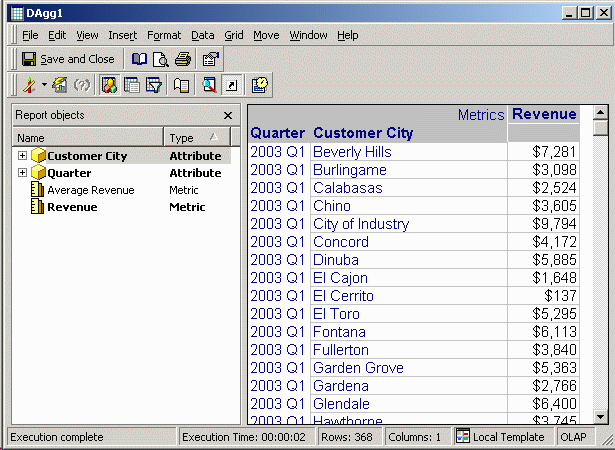
Moving the Quarter attribute into the report objects window, the view of the data must be presented at the level of Customer City. The metric values must be dynamically aggregated over Quarter, so that the row for Beverly Hills will show the revenue for that city across all quarters.
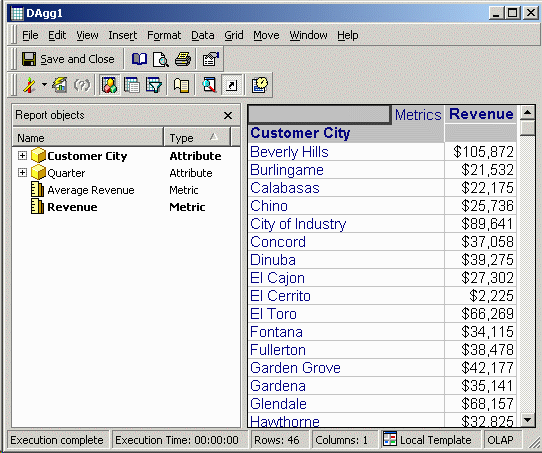
To do this, an aggregation function must be applied to the metric data. The 'Dynamic aggregation function' setting in the metric editor determines which function will be used to perform the dynamic aggregation.
Metrics are normally created with the dynamic aggregation function set to 'Default,' meaning that the dynamic aggregation function will be chosen based on the metric's formula. In most cases, the default dynamic aggregation function can be chosen easily; for instance, a metric whose formula is simply the sum of a fact should logically use the Sum function for dynamic aggregation.
Not all cases are so straightforward; in these scenarios, the dynamic aggregation function should be set explicitly.
Aggregate data that does not support dynamic aggregation
Certain types of aggregation return correct results only if the input data are at the base level stored in the database. The most common of these are averages, and distinct count values or any other non double aggregatable function. For these functions, if the default dynamic aggregation function is used, the view result set presented to the user will include what are called 'dynamic aggregation nulls.' Dynamic aggregation nulls are explained in the following Strategy Knowledge Base article.
Specifying a dynamic aggregation function forces the analytical engine to perform the aggregation, even though the results might not be the same as performing the same aggregation over the lowest level data in the warehouse. This setting should therefore be used with caution; in some reporting scenarios, the discrepancy between dynamic aggregation and warehouse aggregation may be considered incorrect data. That is why dynamic aggregation nulls are presented to the user by default -- as a warning that the requested calculation might be invalid. The user may override the warning, but at the risk of providing values to the end-user that are not truly usable for decision-making.
Compound metrics whose component metrics use different aggregation functions
If a metric is defined as the sum of one fact divided by the count (non-distinct) of another, each component metric taken individually has a valid default dynamic aggregation function, but for the compound metric, there is no way to determine which single function (Sum or Count) should be used to dynamically aggregate the overall metric result. Thus dynamic aggregation nulls are returned in this scenario as well.
This situation can be addressed by checking the 'Allow smart metric' box in the metric editor. In a smart metric, dynamic aggregation is performed over the component metrics individually, and the compound metric formula applied to the aggregate results. Since the component metrics can be dynamically aggregated separately, the default dynamic aggregation function is sufficient.
If ReportLevel includes all the attributes on the template and in the report objects window, and ViewLevel includes only the attributes on the template, then the following is an example of how dynamic aggregation would apply to a smart metric. The dynamic aggregation itself is highlighted in red.
If the compound metric calculation must take place on the database, a single dynamic aggregation function may be specified; however, the results might be questionable.
