EducationSoftwareStrategy.com
StrategyCommunity

Knowledge Base

Product

Community

Knowledge Base

TopicsBrowse ArticlesDeveloper Zone

Product

Download SoftwareProduct DocumentationSecurity Hub

Education

Tutorial VideosSolution GalleryEducation courses

Community

GuidelinesGrandmastersEvents
x_social-icon_white.svglinkedin_social-icon_white.svg
Strategy logoCommunity

© Strategy Inc. All Rights Reserved.

LegalTerms of UsePrivacy Policy
  1. Home
  2. Topics

KB15974: 'Invalid SQL Statement' error occurs when an Oracle stored procedure is called in MicroStrategy Intelligence Server 10.x


Community Admin

• Strategy


'Invalid SQL Statement' error occurs when an Oracle stored procedure is called in MicroStrategy Intelligence Server 10.x

SYMPTOM:
A user tries to execute an Oracle stored procedure within a report in Strategy 8.x via a pre/post statement or within a freeform SQL report using the following syntax:


EXEC ProcedureName

 
The following error occurs:
 

Error: SQL Generation Complete
QueryEngine encountered error: Execute Query failed. Error type: Odbc error. Odbc operation attempted: SQLExecDirect. ORA-00900: invalid SQL statement
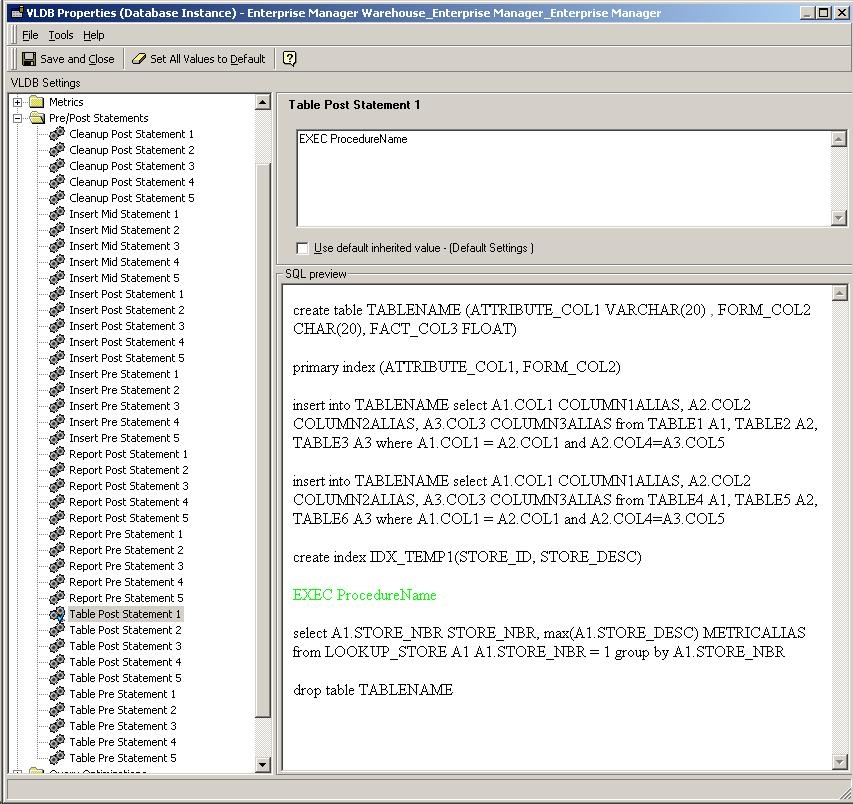
 
Below is an example of using a pre/post statement VLDB property to call an stored procedure with the wrong format:
 

ka04W000000OfUBQA0_0EM440000002BUy.jpeg

 
CAUSE:
The syntax used to run the procedure is incorrect.
 
ACTION:
Use CALL, not EXEC, in the SQL statement as seen below:  


{CALL ProcedureName}
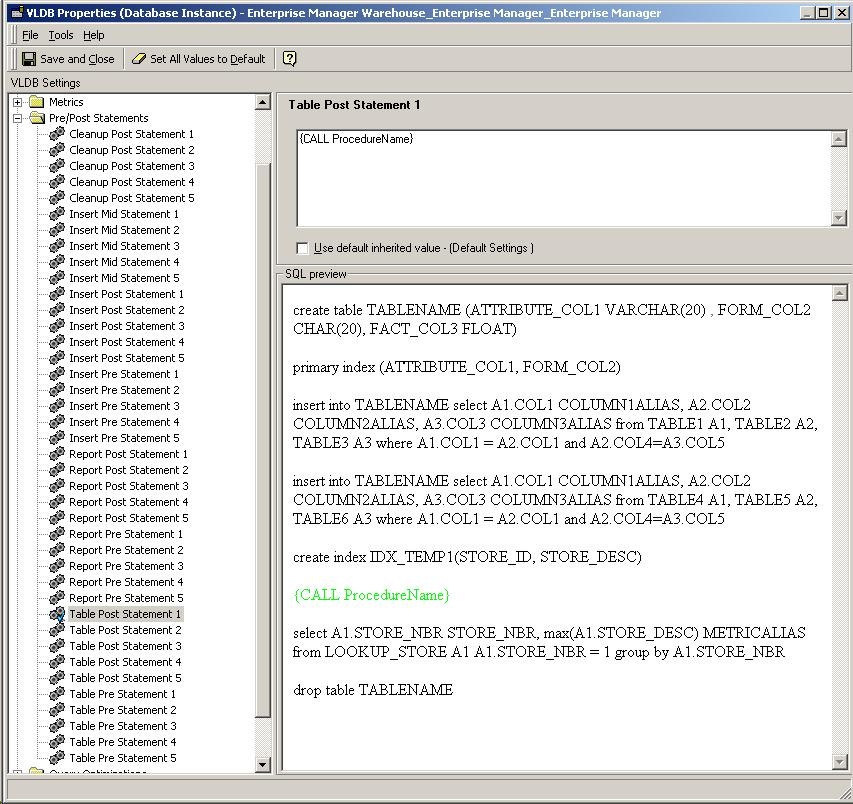
 
Note: The aboe syntax in ODBC Test Tool should be enclosed within curly braces {} but when using it in Strategy Desktop VLDB Setting, it can be used without curly braces.
Below is an example of using a pre/post statement VLDB property to call an stored procedure with the correct format:

ka04W000000OfUBQA0_0EM440000002BUw.jpeg


Comment

0 comments

Details

Knowledge Article

Published:

April 12, 2017

Last Updated:

April 12, 2017