SYMPTOM:
The column order represented in a datamart's template is not passed on to the physical table structure in the database datamart table in Strategy 9.x.
Consider a report created with three attributes and three metrics, as illustrated below:

This report should be configured to run as a datamart report, as described in the following Strategy Knowledge Base technical note:
KB5395 (KB5200-071-0082): How to create and use Datamarts in Strategy Intelligence Server 7.x and 8.x
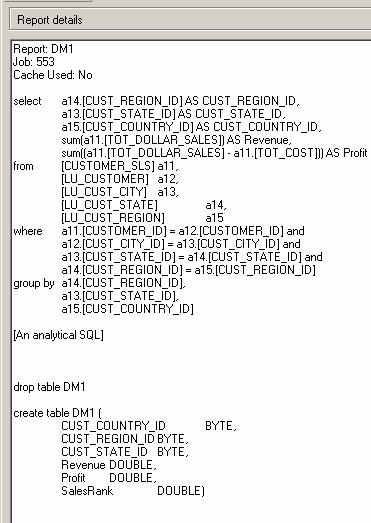
When viewing the SQL for this report, notice how the CREATE TABLE statement defines the column order. The report's column order was Customer Region, Customer State, Customer Country, Revenue, Profit, and Sales Rank. The CREATE TABLE statement has arranged the column order as Customer Country, Customer Region, Customer State, Revenue, Profit, and Sales Rank, as illustrated below:
CAUSE:
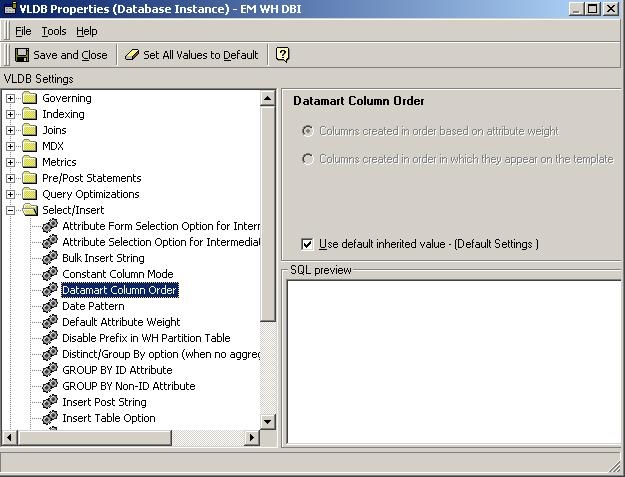
Strategy Developer 9.x rearranges the attribute column order. By default it sorts the attributes according to attribute weight, as described in the following Strategy Knowledge Base technical note:
KB8983 (KB4100-72X-0186): What is the “Attribute weights” setting in Strategy Desktop 8.x?
This setting can be verified/modified in the report VLDB properties window, as shown below:
ACTION:
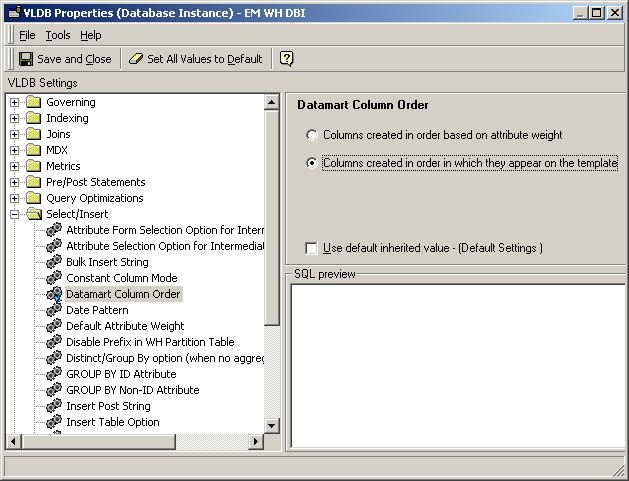
The user can force the SQL to keep the report template's column order in the database's table structure by selecting 'Columns created in order in which they appear on the template' option from the report's VLDB settings, as illustrated below:
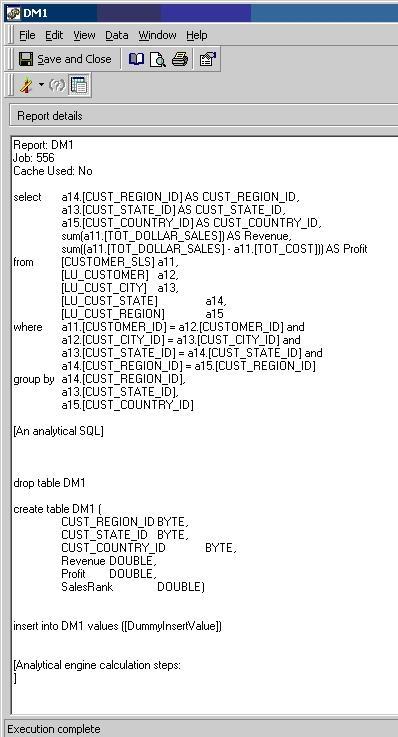
After the 'Columns created in order in which they appear on the template' option is selected, the SQL generated for the template changes to match the report's column order. The attributes/metrics will be added in the same order they appeared on the template, as illustrated below:
NOTE: This VLDB property can be found either in a specific report or in a database instance. If the 'Datamart column order' property is modified in the database instance level, all datamart reports that are run with that database instance will carry this behavior unless specified locally.
