Introduction
Server Definition is a configuration-level object in the metadata and is simply an instance of Strategy Intelligence Server. It contains governing settings that apply at the server level, a list of projects registered on the server, governing settings that apply at the project level, metadata connectivity information, etc. It can be modified from Strategy Desktop through the Strategy Intelligence Server Configuration Editor and the Project Configuration Editor.
Server definition dump is created in the DSSErrors log when:
Take, for instance, the server level setting-'Maximum Number of User Sessions' found under Configure Strategy Intelligence Server > Governing > General.
The default value of this setting is 320. But if the user changes it to 50 and then selects 'OK', the Server definition dump will be written to the DSS Errors log reflecting this information, a shown below:
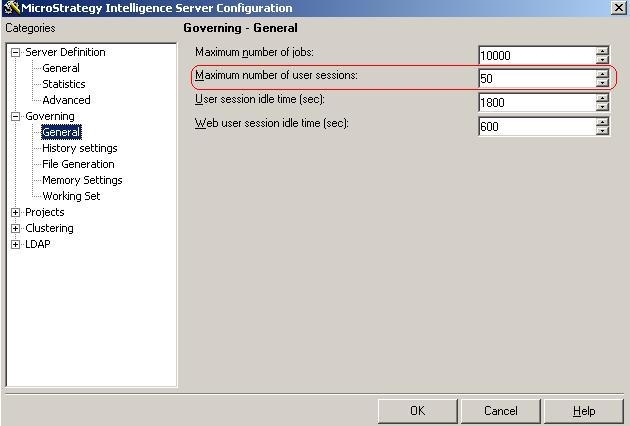
Users will see the following server definition dump in the Strategy Intelligence Server DSSErrors log:
2007-06-07 16:54:08.074-05:00
--------------------- Dump ServerDef -- begin ---------------------
2007-06-07 16:54:08.224-05:00 PrintServerDef: General Info - ServerDef Name: was-njain7,
Max jobs per project: 10000, Max connections per project: 50
…
2007-06-07 16:54:09.646-05:00
--------------------- Dump ServerDef -- end ---------------------
Note: The DSSErrors log is located on the Strategy Intelligence Server machine under \Program Files\Common Files\MicroStrategy\Log.
