EducationSoftwareStrategy.com
StrategyCommunity

Knowledge Base

Product

Community

Knowledge Base

TopicsBrowse ArticlesDeveloper Zone

Product

Download SoftwareProduct DocumentationSecurity Hub

Education

Tutorial VideosSolution GalleryEducation courses

Community

GuidelinesGrandmastersEvents
x_social-icon_white.svglinkedin_social-icon_white.svg
Strategy logoCommunity

© Strategy Inc. All Rights Reserved.

LegalTerms of UsePrivacy Policy
  1. Home
  2. Topics

KB16148: How to identify unused facts and tables without checking each fact individually in MicroStrategy Developer 9.4.x-10.x


Stefan Zepeda

Salesforce Solutions Architect • Strategy


When unused metrics are deleted , the search for the correspondent unused facts with MicroStrategy Object Manager 9.4.x-10.x might not provide any result.

SYMPTOM:
When unused metrics are deleted , the search for the correspondent unused facts with Strategy Object Manager 9.4.x-10.x might not provide any result. This problem usually happens because in Strategy architecture, logical tables are treated as dependent of facts, being this the situation, the user is forced to check manually each fact of the project and verify if there are metrics dependent on it.
 
Due to this situation, the following picture show the procedure that Administrators follow in order to retrieve unused facts: Search all the object of type "fact" in the project check one by one individually in order to verify if there are dependant objects.
 

ka02R000000kcUtQAI_0EM440000002F2r.jpeg

 
STEPS TO REPRODUCE:
Follow the steps below to reproduce this issue:

  • In Strategy Developer 9.4.x-10.x, create a fact (e.g. mapping to Units Sold in City_Ctr_Sls. Do not map any metrics or other objects to the fact. Save as Unused Fact. Update Schema.
ka02R000000kcUtQAI_0EM440000002F2k.jpeg
  • In Strategy Object Manager 9.4.x-10.x, search for Unused Objects with Object Type = Fact. The newly created doesn't have any metric dependent on it so it should be returned by a Strategy Command Manager 9.4.x-10.x search for unused objects, but this doesn't happen, as shown below:
ka02R000000kcUtQAI_0EM440000002F2t.jpeg
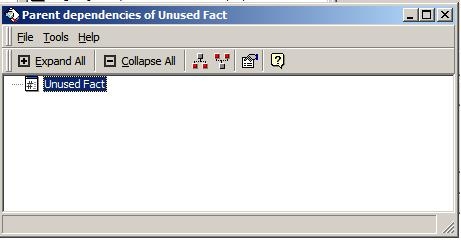
  • In Strategy Object Manager 9.4.x-10.x, search for Child Dependencies of Unused Fact. Note that logical tables are returned in the list, while if searching for parent dependencies, no objects are returned, as shown below:
ka02R000000kcUtQAI_0EM440000002F2v.jpeg
ka02R000000kcUtQAI_0EM440000002JaX.jpeg

ACTION:
It is possible to solve this problem using the SQL below. This must be run directly against the Metadata with Strategy DB Query Tool to search for object ID and name of facts that are not used by deleted metrics.
 
Replace `PROJECT_ID` with the object id of the project to be queried, which can be found in Project Configuration.
 

ka02R000000kcUtQAI_0EM440000002F2p.jpeg

 
WARNING:
Do not modify this SQL in any way, do not run any SQL other than the provided one against the metadata unless explicitly requested by Strategy Technical Support. In general, the manual execution of SQL against metadata is not supported. Ensure that a backup of the metadata has been made before attempting any metadata query.
 
SELECT OBJECT_ID, OBJECT_NAME FROM DSSMDOBJINFO WHERE OBJECT_TYPE=13 AND PROJECT_ID=’’ AND OBJECT_ID NOT IN (SELECT DISTINCT DEPN_OBJID AS OBJECT_ID FROM DSSMDOBJDEPN WHERE PROJECT_ID=’’ AND DEPNOBJ_TYPE=13 AND OBJECT_TYPE=4 ) ORDER BY OBJECT_ID ASC


Comment

0 comments

Details

Knowledge Article

Published:

April 17, 2017

Last Updated:

April 17, 2017