SYMPTOM:
When running a script through Strategy Administrator tools such as Command Manager 9.x, the process hangs. The Event Viewer displays the error 'Unable to start a DCOM Server ... the error:"%1 -Embedding is not a valid Win32 application" Happened while starting this command ...' as shown below:
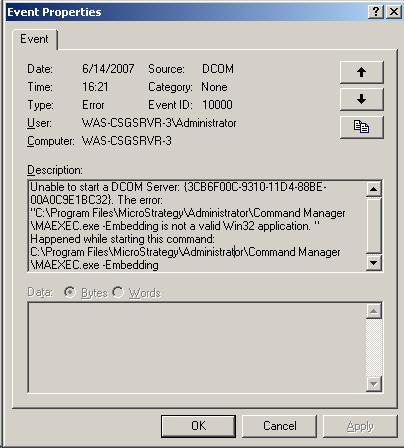
"Unable to start a DCOM Server: {3CB6F00C-9310-11D4-88BE-00A0C9E1BC32}. The error:"C:\Program Files\MicroStrategy\Administrator\Command Manager\MAEXEC.exe -Embedding is not a valid Win32 application" Happened while starting this command: C:\Program Files\MicroStrategy\Administrator\Command Manager\MAEXEC.exe -Embedding"
CAUSE:
A file or folder named 'Program' exists in the same folder as the Program Files directory on the machine containing the Strategy installation, as shown below:

The executable files for Strategy Command Manager and Strategy Enterprise Manager are MAEXEC.exe and MAEMETL.exe. These files are loaded as a COM service with the -Embedding flag to perform the required action. The default installation folder for these files is "drive:\Program Files\MicroStrategy\Administrator". However, if a file exists with the name "Program" in the drive root folder, Windows thinks that it should run that file rather than the file in the full executable path.
This issue is documented in the Microsoft Technical note: http://support.microsoft.com/kb/812486/ "Event ID 7000 and "%1 Is Not a Valid Win32 Application" Error Message When You Start a Service".
ACTION:
Users should rename or remove the file that exists in the same folder as the Program Files directory on the machine containing the Strategy installation. If the file does not exist, users should check all the folders in the executable path to see if any executable having the same name as the service executable exists in the path.
