This technical note outlines the use of execution control documents for delivery status notifications in Strategy Narrowcast Server 9.x - 10.x.
A control document is a file specified per publication that alters Strategy Narrowcast Server 9.x - 10.x transmission functionality.
To turn on execution control documents, create a publication using the Publication Wizard or select 'Show advanced content sections' in the Service Wizard, as shown below:
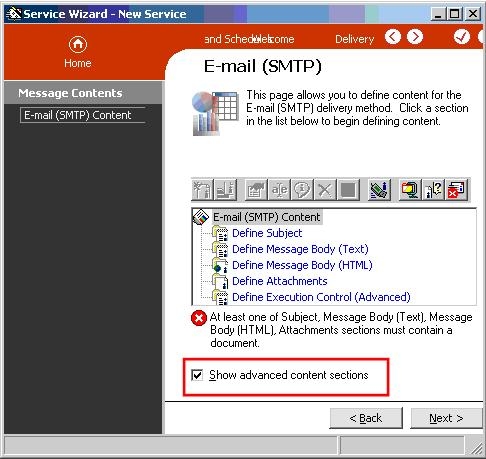
Then, execution controls can be added in the 'Define Execution Control (Advanced)' section.
The syntax for setting the priority is Importance='normal/high/low', as shown below:

The following image contains how the command will look inside an execution control document:
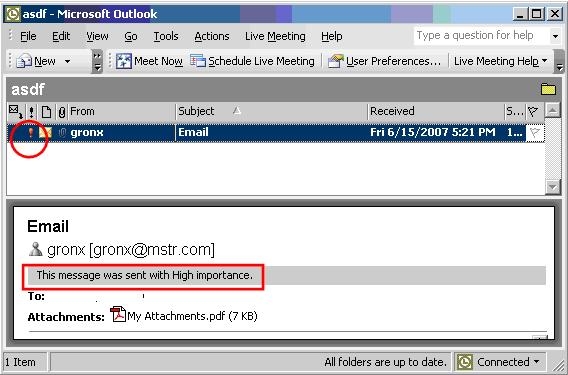
When the email is delivered, it will have a high importance set.
