SYMPTOM:
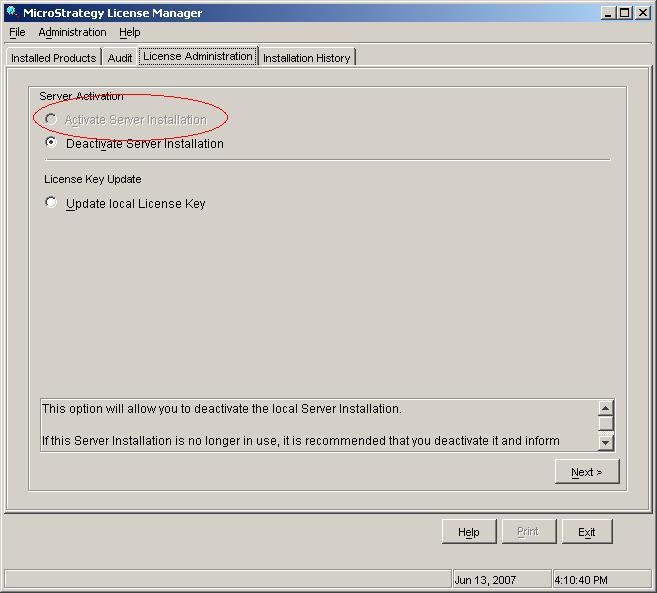
When a user tries to input an activation code sent by Strategy in Strategy License Manager 9.x - 10.x, the option to 'Activate Server Installation' is grayed out, as shown below:
CAUSE:
The Strategy Intelligence Server is currently activated under a different activation code which needs to be updated.
ACTION:
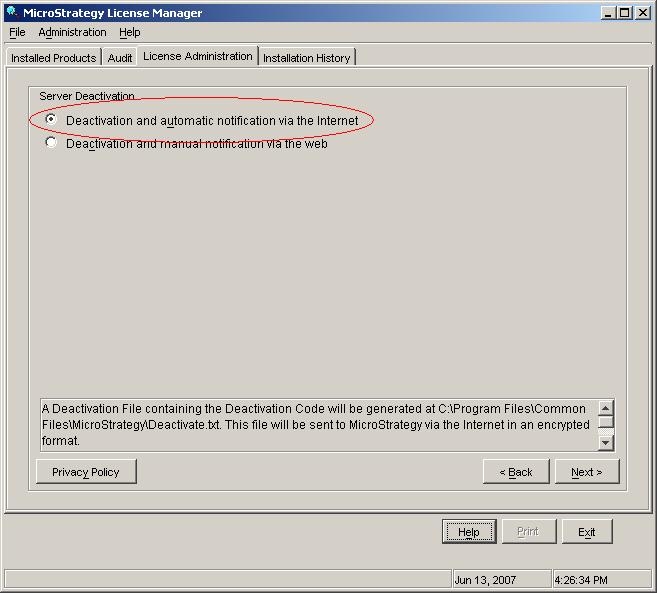
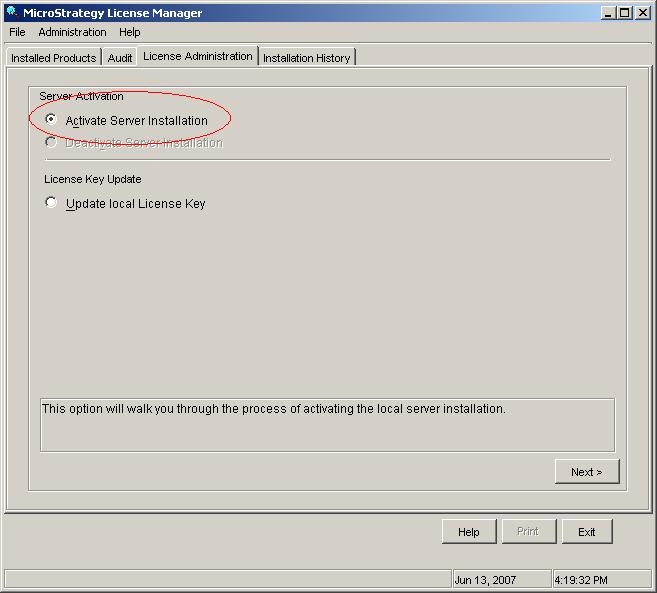
In order to be able to input the new code, users first need to deactivate the previous server installation by following the steps below:
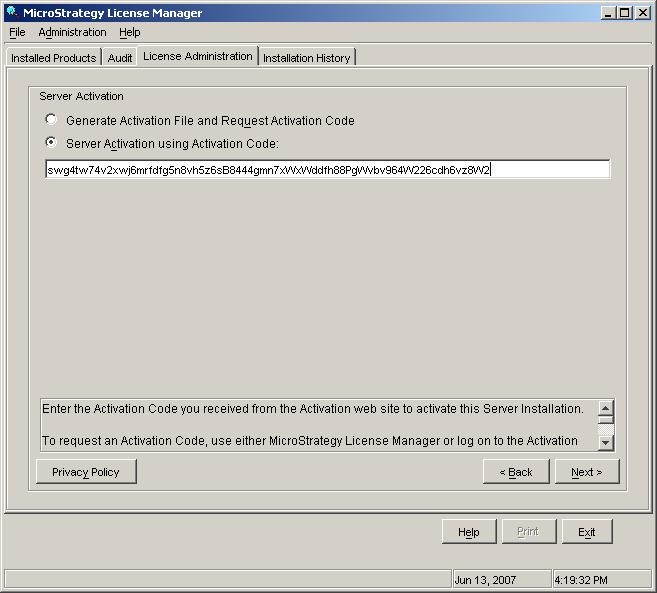
The final screen will confirm that the Strategy Intelligence Server is now activated under the new activation code.
