SYMPTOM:
When users create a custom drill path in the Drill Map Editor in Strategy Desktop, they have the following options to select from:
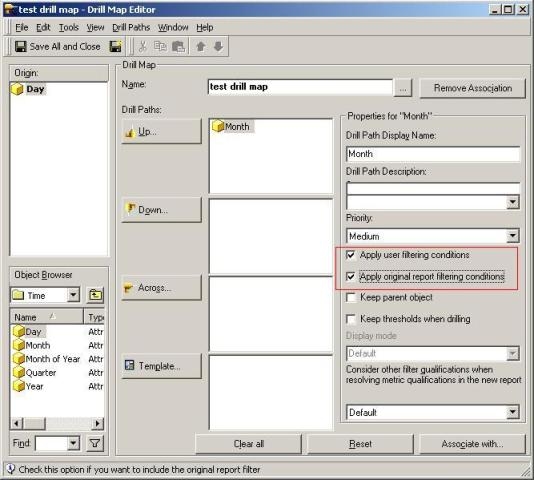
This technical note explains the differences of using various combinations of these checkboxes and the results of enabling each option.
NOTE: In the following examples, the conditions below persist:
Scenario 1
Uncheck 'Apply user filtering conditions'
Uncheck 'Apply original report filtering conditions'
Additional settings:
ACTION:
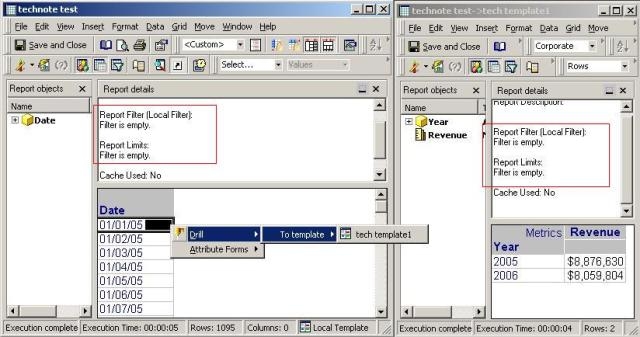
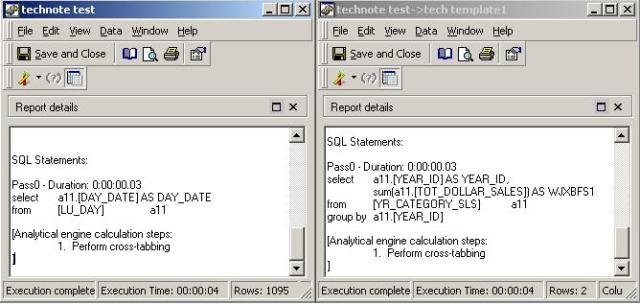
Here is the SQL generated by both reports in which there are no WHERE statements due to the lack of filters:
Scenario 2:
Check 'Apply user filtering conditions'
Uncheck 'Apply original report filtering conditions'
Additional settings:
ACTION:
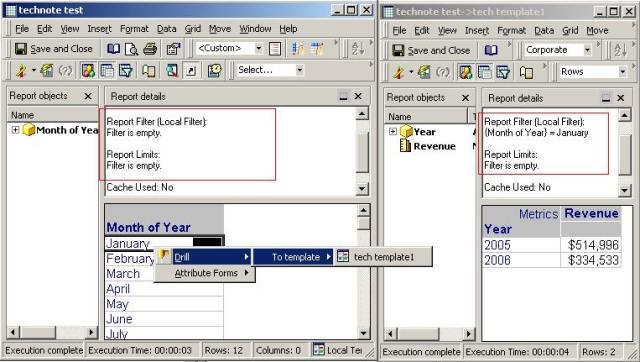
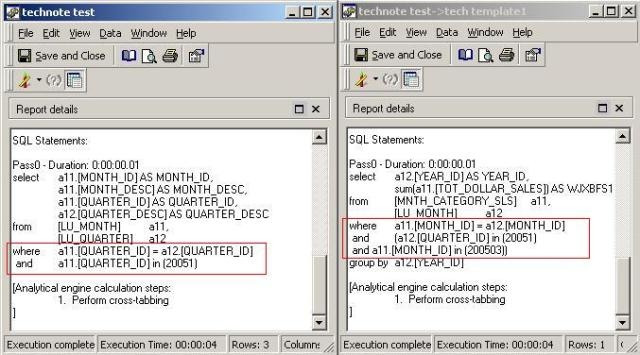
Here is the SQL generated by both reports in which the second report has a WHERE statement reflecting the condition:

Scenario 3A:
Uncheck 'Apply user filtering conditions'
Check 'Apply original report filtering conditions'
Additional settings:
ACTION:
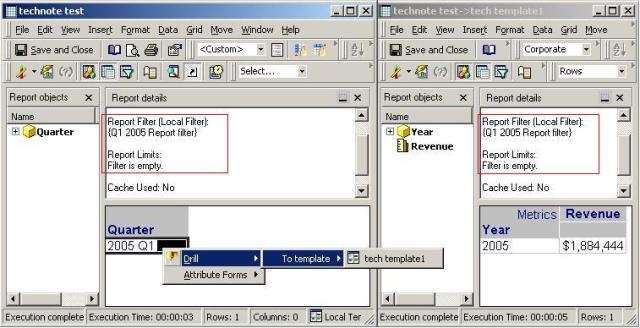
Here is the SQL generated by both reports in which the second report has a WHERE statement reflecting the condition:
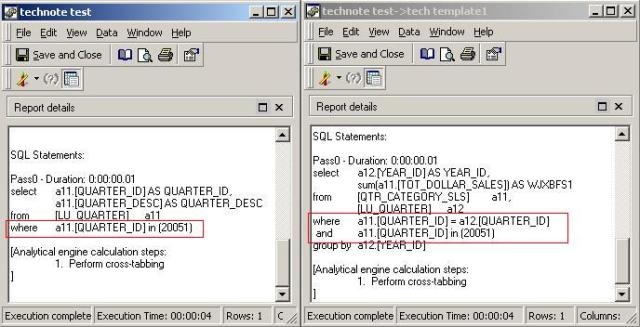
Scenario 3B:
Uncheck 'Apply user filtering conditions'
Check 'Apply original report filtering conditions'
Additional Settings:
ACTION:
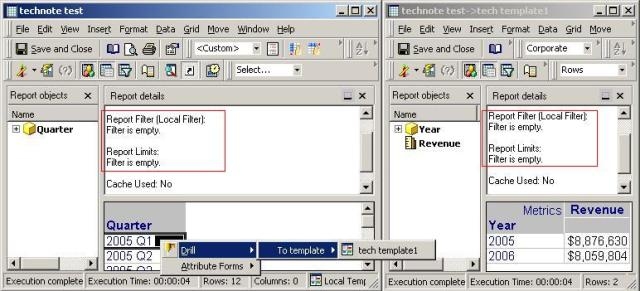
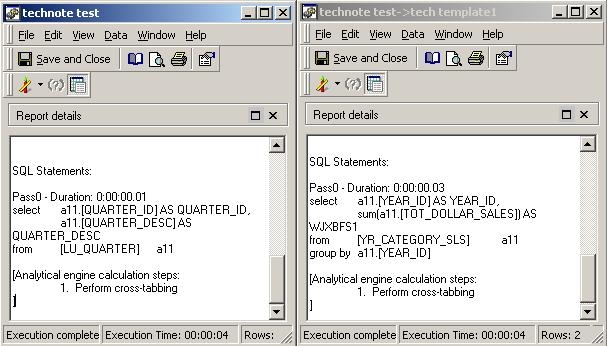
Here is the SQL generated by both reports in which there are no WHERE statements due to the lack of filters:
Scenario 4A:
Drill Map Editor settings:
Check 'Apply user filtering conditions'
Check 'Apply original report filtering conditions'
Additional settings:
ACTION:
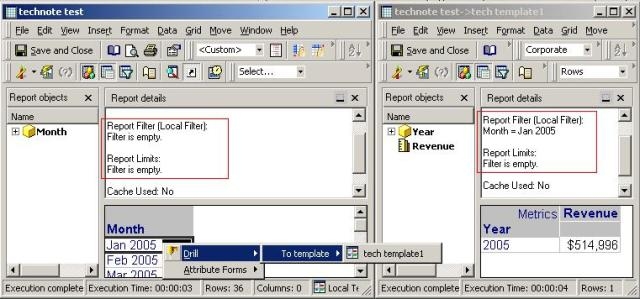
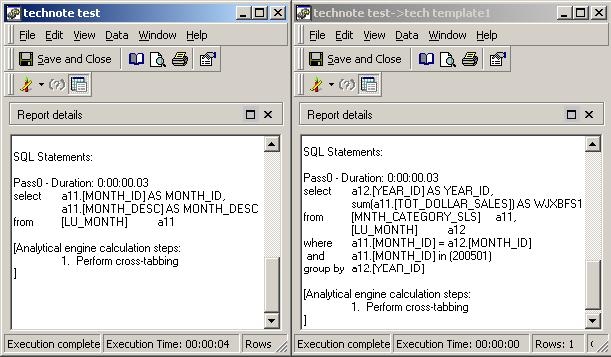
Here is the SQL generated by both reports in which the second report has a WHERE statement reflecting the condition:
Scenario 4B:
Check 'Apply user filtering conditions'
Check 'Apply original report filtering conditions'
Additional settings:
ACTION:
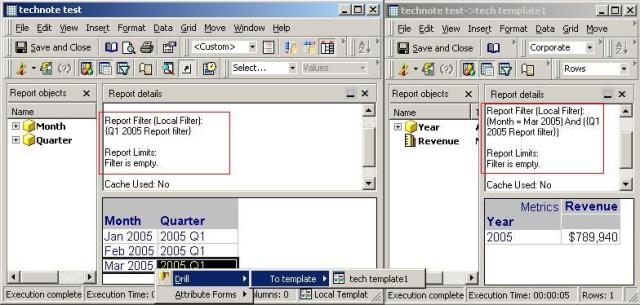
Here is the SQL generated by both reports in which the second report has a WHERE statement reflecting the condition: