EducationSoftwareStrategy.com
StrategyCommunity

Knowledge Base

Product

Community

Knowledge Base

TopicsBrowse ArticlesDeveloper Zone

Product

Download SoftwareProduct DocumentationSecurity Hub

Education

Tutorial VideosSolution GalleryEducation courses

Community

GuidelinesGrandmastersEvents
x_social-icon_white.svglinkedin_social-icon_white.svg
Strategy logoCommunity

© Strategy Inc. All Rights Reserved.

LegalTerms of UsePrivacy Policy
  1. Home
  2. Topics

KB16348: 'The following tables to be deleted still have dependent objects: (Table Name)' error occurs when trying to delete a table that has no dependents in Microstrategy Developer 9.4.x-10.x


Stefan Zepeda

Salesforce Solutions Architect • Strategy


An error occurs when trying to delete a table that has no dependents in Microstrategy Developer 9.4.x-10.x

SYMPTOM:
The following error occurs when trying to delete a table that has no dependents in Strategy Developer 9.4.x-10.x:


The following tables to be deleted still have dependent objects: (Table Name)
 
STEPS TO REPRODUCE:
Follow the steps below to reproduce this issue:

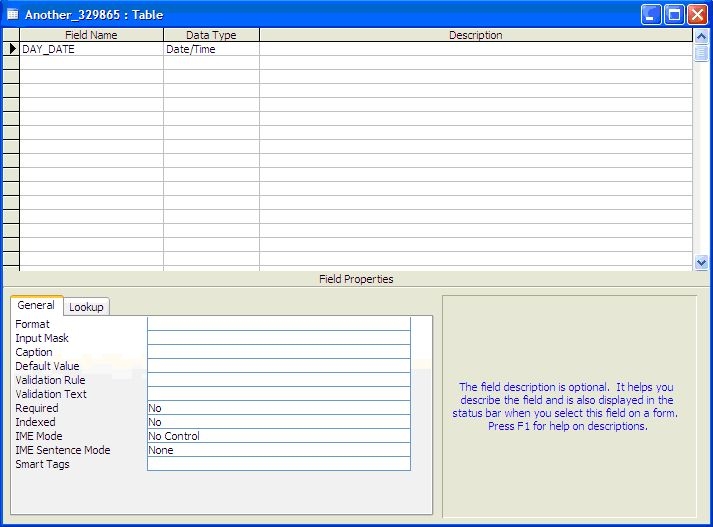
  • Create a table in the data warehouse with a field called DAY_DATE with data type as Date/Time, as shown below:
ka02R000000kaftQAA_0EM440000002FDB.jpeg
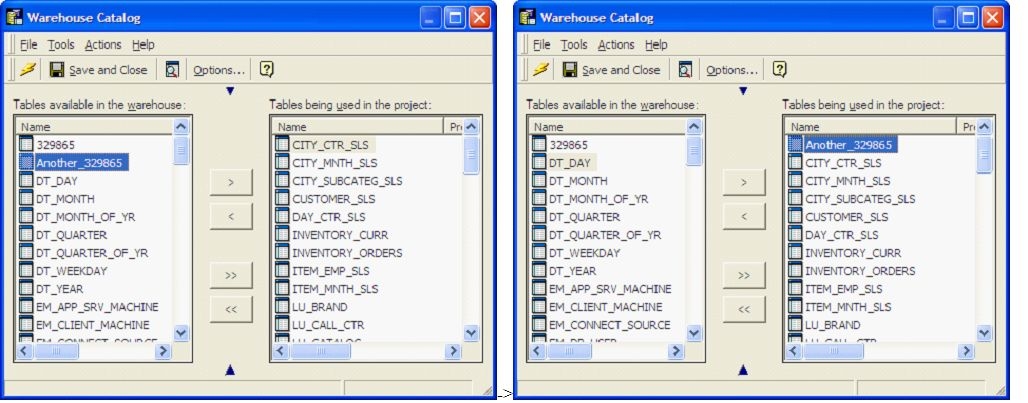
  • Go to the Warehouse Catalog and add that table to the project and save the changes, as shown below:
ka02R000000kaftQAA_0EM440000002FD4.jpeg
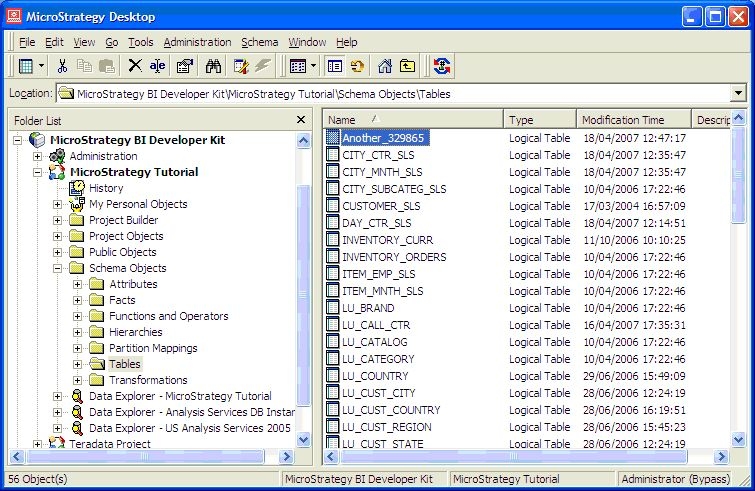
  • A logical table is created for the added table, as shown below:
ka02R000000kaftQAA_0EM440000002FDC.jpeg
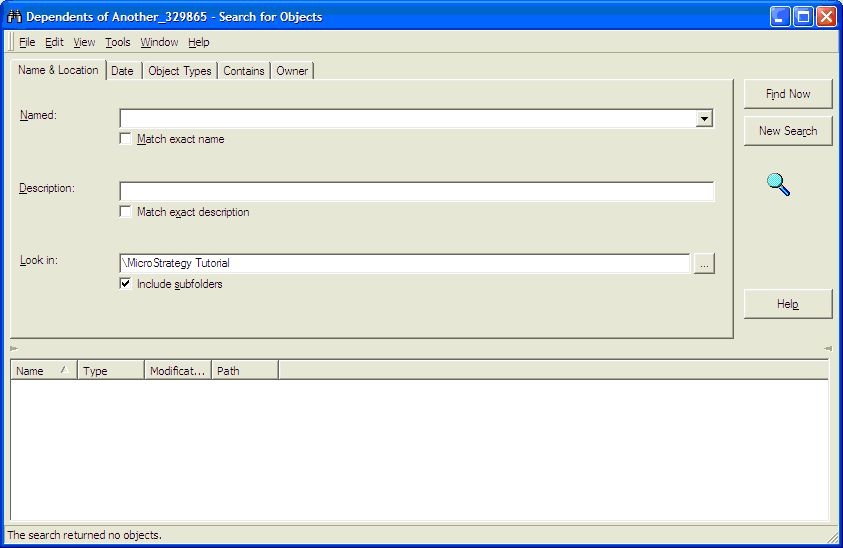
  • Running a search for dependents shows that there are no dependents for the table, as shown below:
ka02R000000kaftQAA_0EM440000002FDD.jpeg
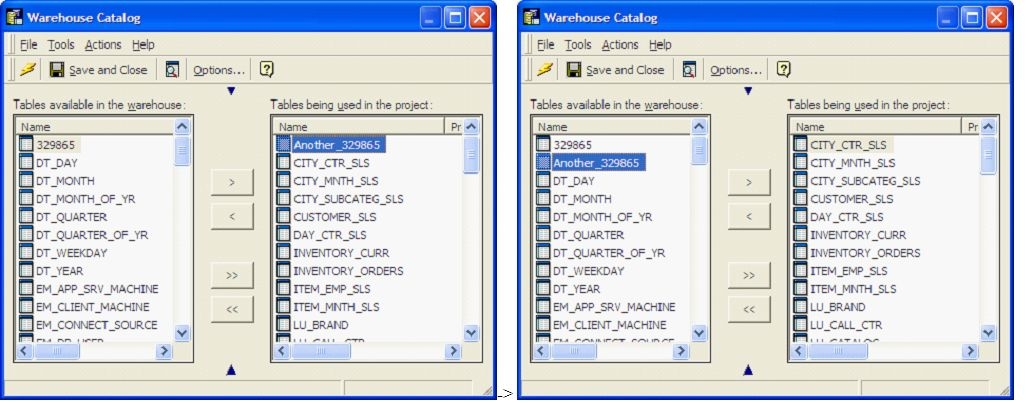
  • Go back to the Warehouse Catalog and try to remove the table, as shown below:
ka02R000000kaftQAA_0EM440000002FDE.jpeg
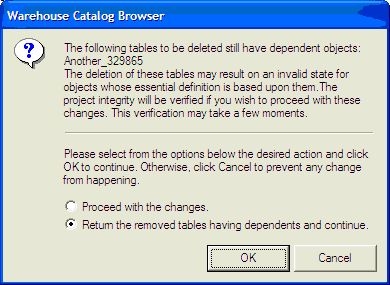
  • When trying to save the changes, the following message comes up, although there are not any dependent objects:
ka02R000000kaftQAA_0EM440000002FD3.jpeg
  • The following tables to be deleted still have dependent objects:

    “Table Name”

    The deletion of these tables may result on an invalid state for objects whose essential definition is based upon them. The project integrity will be verified if you wish to proceed with these changes. This verification may take a few moments.

    Please select the options below the desired action and click OK to continue. Otherwise, click Cancel to prevent any change from happening.

CAUSE:
Part of this behavior is working as designed. In the example provided above, a new column was created called DAY_DATE in a new table.
When the table is first brought over the Warehouse Catalog, Strategy matches up the column names and data types with a column object that exists in the metadata. If there is a match, then it checks the mappings on all of the attributes with this column object. If the mapping is set to automatic, then the new table is added as a source table on those attributes.
This creates the dependency that is checked and this is the part that is working as designed.
However, Strategy should be able to see these dependencies when searching in Strategy Developer 9.4.x-10.x. Right now, Strategy Developer 9.4.x-10.x will only show the Lookup table dependencies in the search. This is a known issue in Strategy Developer 9.4.x-10.x.
ACTION:
Strategy will continue to investigate and post updates as soon as they are available.


Comment

0 comments

Details

Knowledge Article

Published:

April 7, 2017

Last Updated:

April 7, 2017