EducationSoftwareStrategy.com
StrategyCommunity

Knowledge Base

Product

Community

Knowledge Base

TopicsBrowse ArticlesDeveloper Zone

Product

Download SoftwareProduct DocumentationSecurity Hub

Education

Tutorial VideosSolution GalleryEducation courses

Community

GuidelinesGrandmastersEvents
x_social-icon_white.svglinkedin_social-icon_white.svg
Strategy logoCommunity

© Strategy Inc. All Rights Reserved.

LegalTerms of UsePrivacy Policy
  1. Home
  2. Topics

KB16415: How to view the SQL generated for a report in MicroStrategy Web 10


Community Admin

• Strategy


This article describes how to obtain the executed SQL for a report from MicroStrategy Web.

 
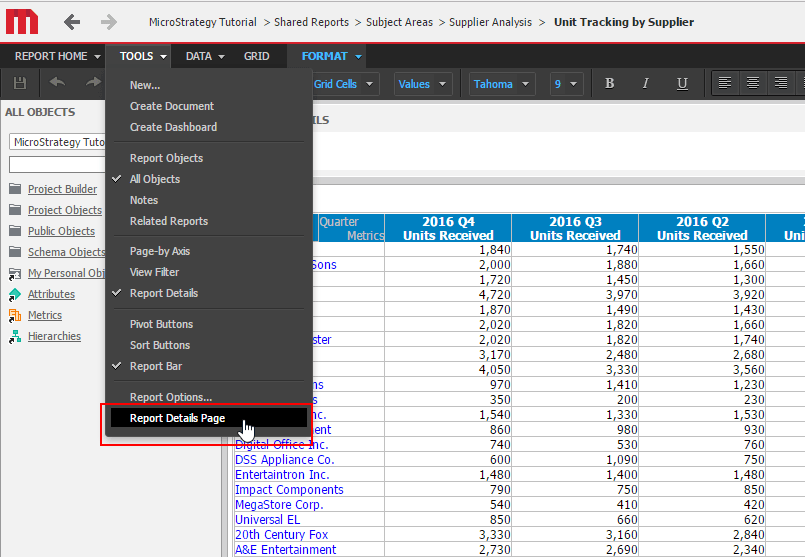
In Strategy Web 10, there is no SQL View execution mode as there is in Strategy Desktop. However, the SQL used to execute the report can still be viewed and obtained. To do so, click Tools > Report Details Page after the report has been executed, as shown below:
 

ka0PW0000002xyTYAQ_0EM440000002JQI.png

 
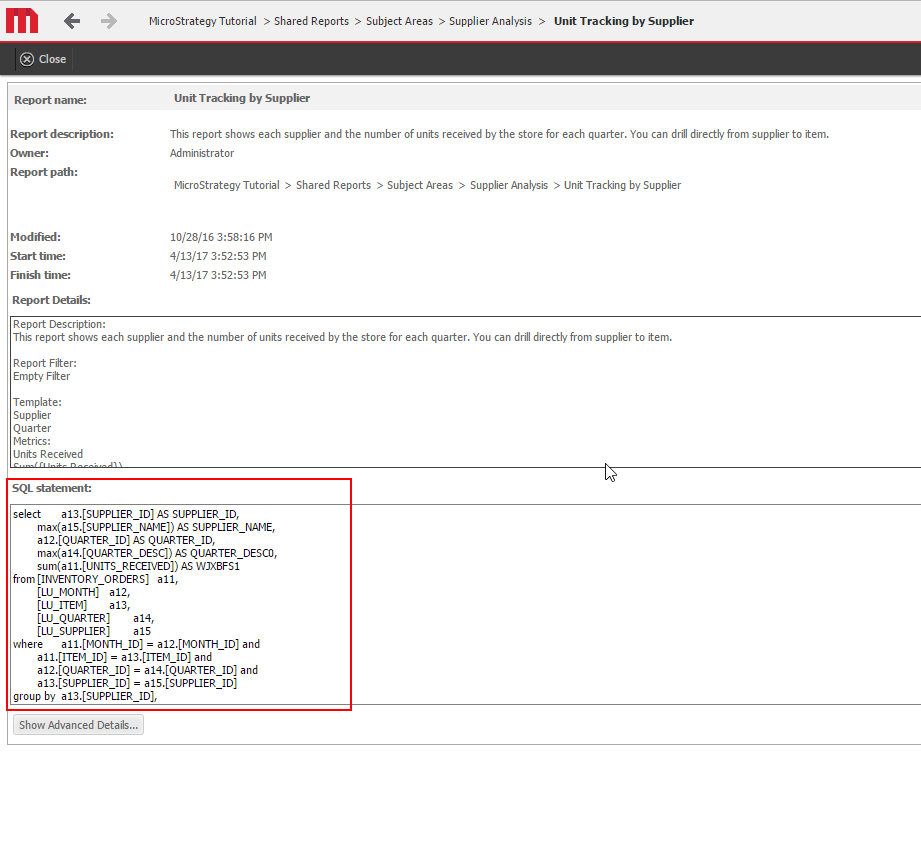
This will bring up the Report Details window for the specific report. The SQL can be obtained from the SQL Statement section, as shown below:
 

ka0PW0000002xyTYAQ_0EM440000002JQN.png


Comment

0 comments

Details

Knowledge Article

Published:

April 13, 2017

Last Updated:

August 12, 2024