SYMPTOM:
In Strategy Developer, when a user exports a report that contains an attribute with 'time format' in Microsoft Access, the results are displayed in 'date format'.
STEPS TO REPRODUCE:
Follow the steps below to reproduce this issue in the Strategy Tutorial project:
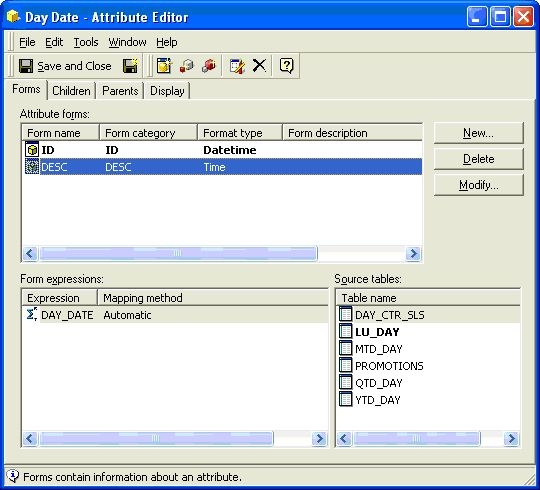
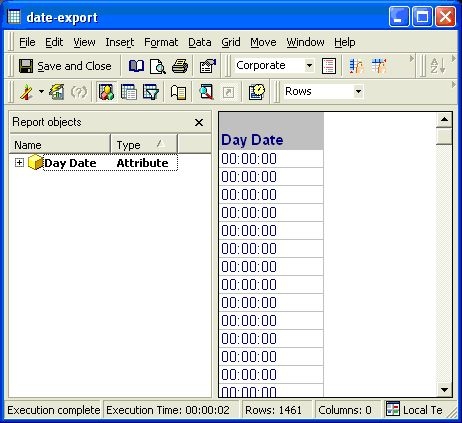
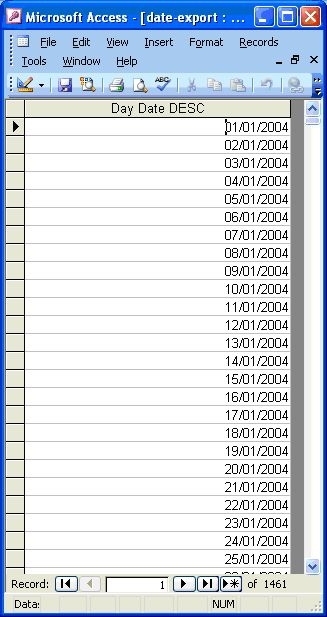
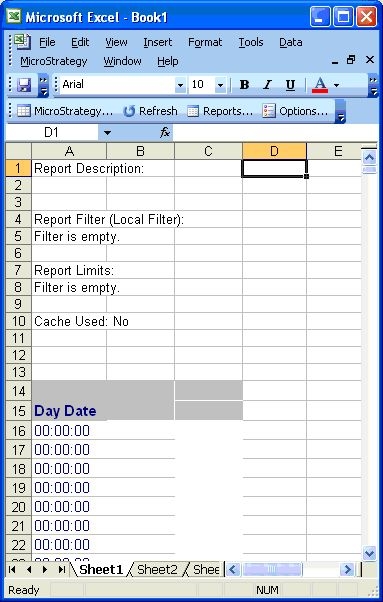
NOTE: This issue does not occur when exporting to Microsoft Excel, as shown below:
CAUSE:
This is a limitation with Microsoft Access. Microsoft Access does not have number formatting capability like Microsoft Excel. The underlying data for this attribute actually has both date and time data, but the report has been formatted to display only the time part of it. When exported to Microsoft Access, both time and data is sent and Access shows the date value.
ACTION:
There is no user action as this is working as designed. If needed, users can change the formatting on the exported Microsoft Access file to change the formatting to Time and the data is displayed as time.
