SYMPTOM:
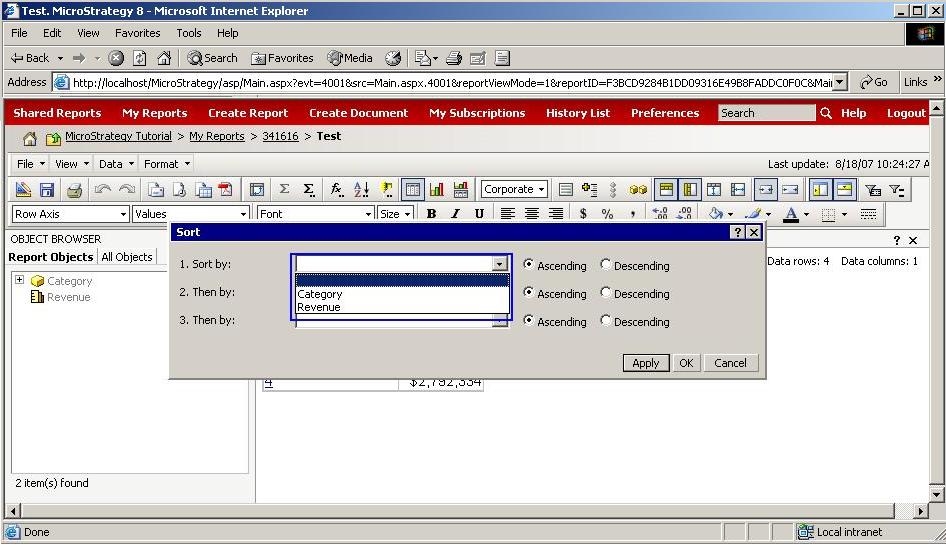
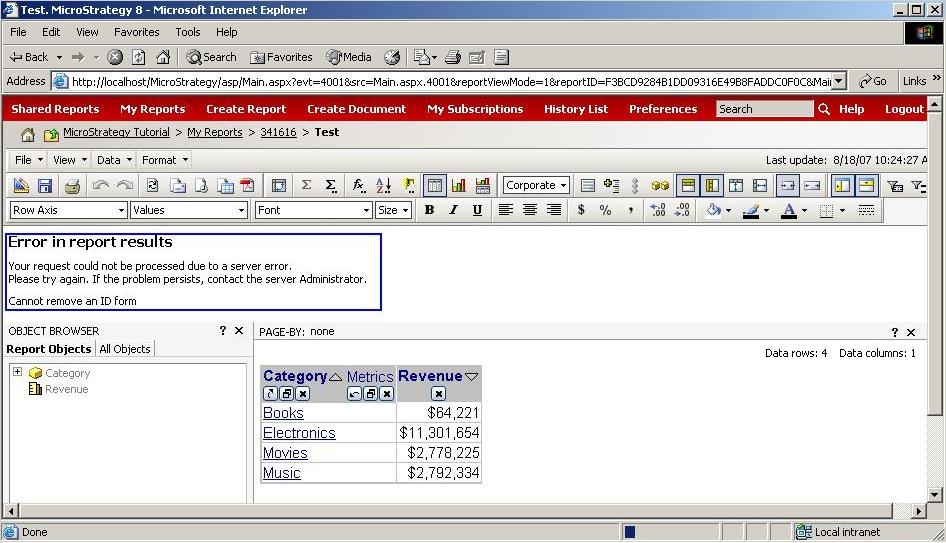
When a user tries to remove an attribute's ID form from the 'Report objects' window for a report, the interface won't allow the user to do so and ultimately, the attribute's ID form is displayed in the drop down list within the advanced sort window in Strategy Web 9.x.
STEPS TO REPRODUCE:
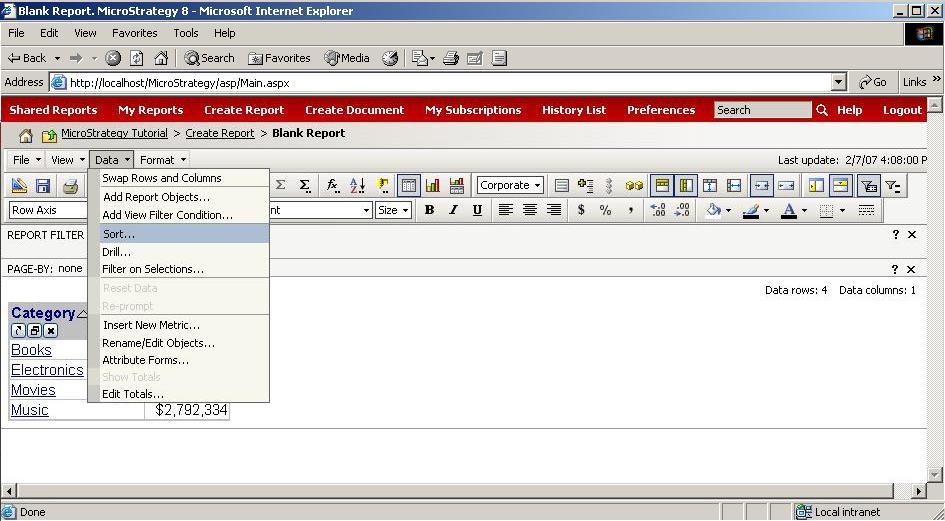
Follow the steps below to reproduce this issue in the Strategy Tutorial project.


CAUSE:
This is working as designed. All attribute IDs are always part of the base report per design, so the sorting will also always include that attribute form as an option. An enhancement has been logged to be able to reduce the list of potential sorting criteria available for a user on a report, including the ability to remove an attribute's ID form.
ACTION:
This enhancement request was reviewed by our Technology team for feasibility and will not be scoped for a code fix in any upcoming Strategy release.
