SYMPTOM
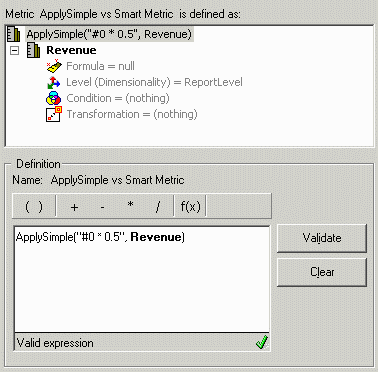
A user creates a compound metric as part of an OLAP cube in Strategy Desktop 8.1.x. The metric formula uses ApplySimple, as illustrated below.
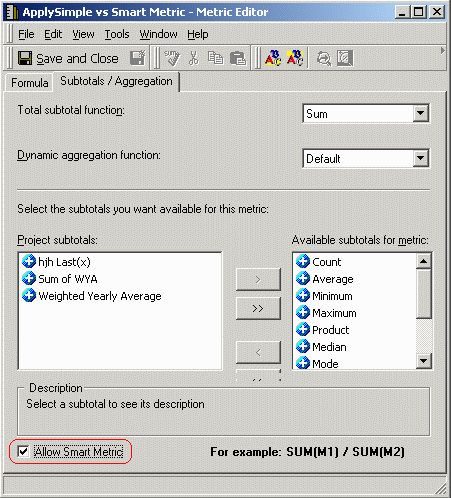
Following this, the user switches to the Subtotals/Aggregation tab and enables the "Allow Smart Metric" option.
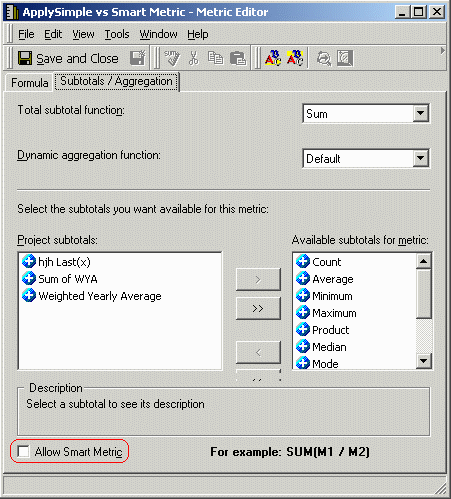
After saving the metric into the metadata, the user reopens the metric for editing and finds that the "Allow Smart Metric" box is unchecked, despite the fact that it was checked prior to saving.
CAUSE
The saving behavior is correct. By definition, an ApplySimple metric cannot ever be a smart metric.
In a smart metric, the compound metric calculation is to be done in the Analytical Engine after retrieving the individual component metrics' values separately from the database. This supports subtotals and dynamic aggregation over a metric that is the quotient of two other metrics, where the expected aggregate value is the quotient of the sums of the component metrics. Thus, a smart metric whose formula uses metrics A and B must bring back a separate column, one for metric A and another for metric B, in the result set.
ApplySimple indicates that the enclosed formula is to be passed directly to the database for evaluation. The result of the ApplySimple can be only a single column containing the result of the operation. ApplySimple cannot be evaluated in the Analytical Engine.
Thus, ApplySimple is mutually incompatible with smart metrics, and a metric with an ApplySimple formula that is saved into the metadata with the smart metric flag would be an incorrect metric definition. It is proper for the Strategy metadata components to detect the situation and correct the definition by disabling the smart metric option for that metric.
ACTION
The metric definition should be left as is.
Notes
