EducationSoftwareStrategy.com
StrategyCommunity

Knowledge Base

Product

Community

Knowledge Base

TopicsBrowse ArticlesDeveloper Zone

Product

Download SoftwareProduct DocumentationSecurity Hub

Education

Tutorial VideosSolution GalleryEducation courses

Community

GuidelinesGrandmastersEvents
x_social-icon_white.svglinkedin_social-icon_white.svg
Strategy logoCommunity

© Strategy Inc. All Rights Reserved.

LegalTerms of UsePrivacy Policy
  1. Home
  2. Topics

KB16602: How to recover the MicroStrategy System Prompt object using MDUpdate Utility in MicroStrategy Developer


Stefan Zepeda

Salesforce Solutions Architect • Strategy


How to recover the MicroStrategy System Prompt object using MDUpdate Utility in MicroStrategy Developer

SYMPTOM:
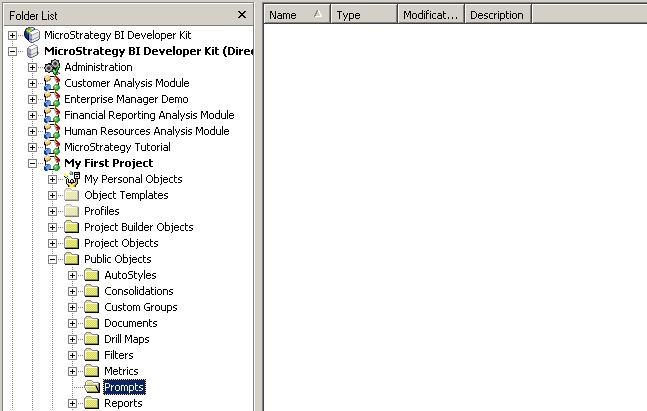
It could happen that by mistake, the Strategy System Prompt object gets deleted. The deletion of the System Prompt prevents the implementation of certain security mechanisms.
 

ka02R000000kXHJQA2_0EM440000002FAv.jpeg

 
ACTION:
Use the Strategy Metadata Update Utility to recover the Strategy System Prompt object. The Metadata Update Utility is a utility responsible for updating the metadata with the latest project information based on the version of Strategy Developer from the machine on which the utility is installed and executed. For more information on the Strategy Metadata Update Utility, refer to the following Strategy Knowledge Base technical note:
 
KB9694 (KB1200-000-0048): How to run the Strategy Metadata Update Utility against Strategy 8.x projects and newer
 
NOTE: Users are encouraged to backup their entire metadata before the update
 
Follow the steps below to recover the Strategy System Prompt object:
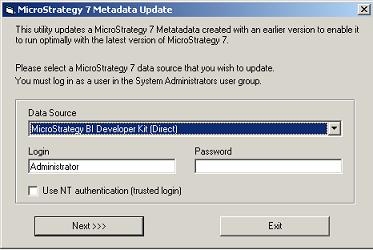
 

  • Go to Drive:\ProgramFiles\Common Files\Strategy and look for MDUpdateUtil.exe. Launch it with a double-click.
  • Use the Administrator login and password to authenticate, select the Project that is missing the report templates, and click on 'Update Now', as shown below:
ka02R000000kXHJQA2_0EM440000002FB3.jpeg
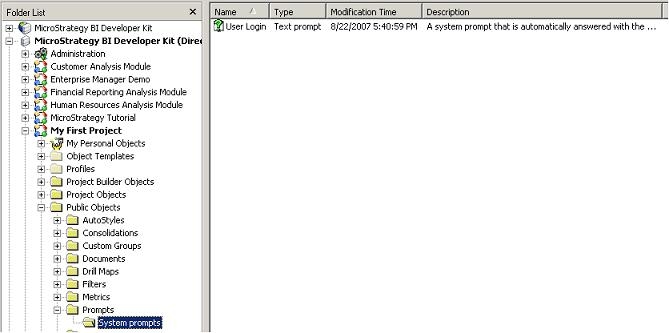
  • After the update is done, go back to Strategy Developer and confirm that the System Prompt objects appears under /Public Objects/Prompts/System Prompts, as shown below:
ka02R000000kXHJQA2_0EM440000002FB5.jpeg

Comment

0 comments

Details

Knowledge Article

Published:

June 19, 2017

Last Updated:

June 19, 2017