SYMPTOM:
When trying to run a report in Strategy Developer, the following error may occur:
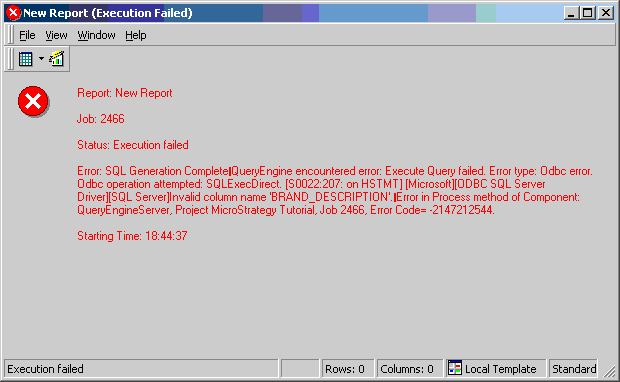
Invalid column name
CAUSE:
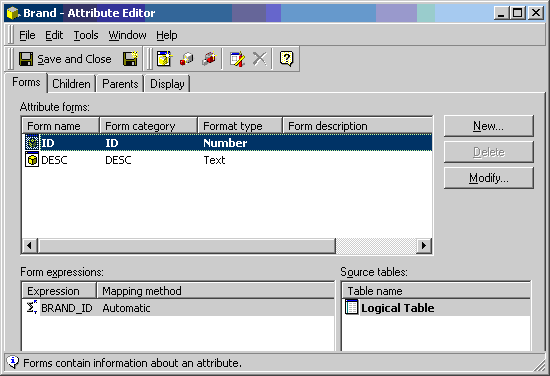
This error message can occur due to an incorrect logical table definition. Narrow down the problem to an attribute and verify to which table it is mapped, as shown below:
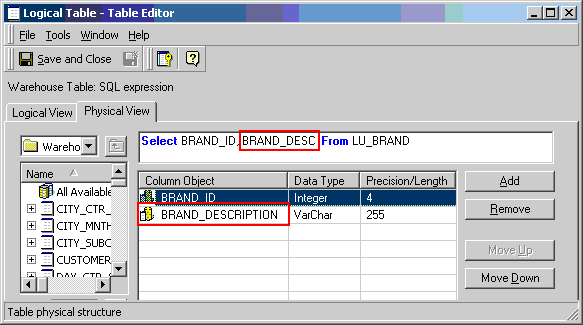
Look at the definition of the logical table. Notice the inconsistency in how the SQL is defined and the name of the column object that has been defined in Strategy Desktop 8.0.x, as shown below:
ACTION:
Set the name of the column object to be the same as of the name of the column return by the SQL or use an alias in the SQL to match the name of the column.
