SUMMARY:
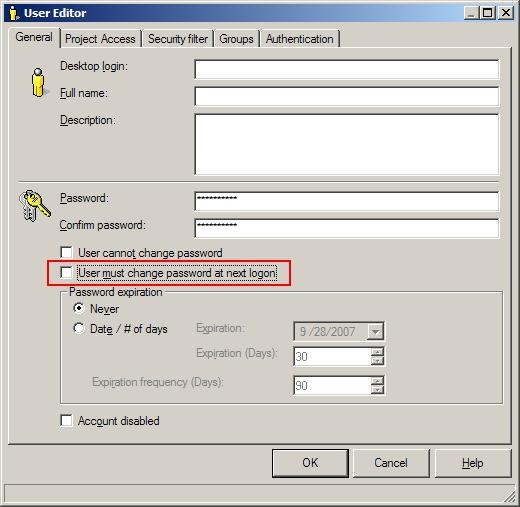
When creating Strategy users, it may be a requirement for that user to change their password upon logging into Strategy Desktop or Strategy Web 9.x. Through Strategy Desktop 9.x, this change can be made by checking the 'User must change password at next logon' box in the User Editor, as shown below:
DESCRIPTION:
When creating many users, it is necessary to use Strategy Command Manager to increase the speed of creating users. However, it is also a requirement that each user must change their password when the first login.
ACTION:
The following Strategy Command Manager script will create a user that must change their password on their next logon:
CREATE USER "login_name" PASSWORD "password" FULLNAME "User Full Name" DESCRIPTION "Developer" ALLOWCHANGEPWD TRUE PASSWORDEXPFREQ 30 DAYS CHANGEPWD TRUE;
