SYMPTOM:
The following error message appears when accessing Strategy Web 9.x and Microsoft Internet Information Servers 6.0.
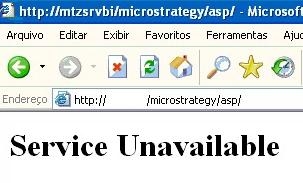
Service unavailable
When looking into the log file C:\Program Files\Common Files\MicroStrategy\Log\JVMMessages.log, there are a lot of entries like the example below:
2007-08-07 11:14:22.741-03:00 options.extraInfo: 0x0
2007-08-07 11:14:22.741-03:00 options.optionString: "vfprintf"
2007-08-07 11:14:22.741-03:00 options.extraInfo: 0x297a7d5
2007-08-07 11:14:22.741-03:00 options.optionString: "abort"
2007-08-07 11:14:22.741-03:00 options.extraInfo: 0x297a881
2007-08-07 11:14:22.757-03:00 Error occurred during initialization of VM
2007-08-07 11:14:22.757-03:00 Could not reserve enough space for object heap
2007-08-07 11:15:01.788-03:00 Creation of JVM in Strategy SDK JNI bridge base
2007-08-07 11:15:01.788-03:00 JVM path: C:\Arquivos de programas\Arquivos comuns\MicroStrategy\JRE\142_13\bin\client\jvm.dll
2007-08-07 11:15:01.788-03:00 JNI version: 0x10002
2007-08-07 11:15:01.788-03:00 Number of options passed to JVM: 5
2007-08-07 11:15:01.788-03:00 Ignore unrecognized JVM options: TRUE
2007-08-07 11:15:01.788-03:00 JVM options:
2007-08-07 11:15B:01.788-03:00 options.optionString: "-Xrs"
2007-08-07 11:15:01.788-03:00 options.extraInfo: 0x0
2007-08-07 11:15:01.788-03:00 options.optionString: "-Xmx256M"
2007-08-07 11:15:01.788-03:00 options.extraInfo: 0x0
CAUSE:
This occurs because of the amount of memory reserved through the registry entry HKEY_LOCAL_MACHINE\SOFTWARE\MicroStrategy\JNI Bridge\Configuration\JVMOptions\HeapMaxSize is not enough in order to reserve space for object heap.
ACTION:
Increase the value of the registry entry HKEY_LOCAL_MACHINE\SOFTWARE\MicroStrategy\JNI Bridge\Configuration\JVMOptions\HeapMaxSize in order to reserve enough space for object heap.
Refer to the following Strategy Knowledge Base technical note for more information:
TN6446: How to increase the heap size of the Java Virtual Machine to handle large result data objects with MicroStrategy Web 8.1.x and Web 9.x
