SYMPTOM:
In Strategy Intelligence Server 9.x, when users start a Strategy service, they see the following error message:
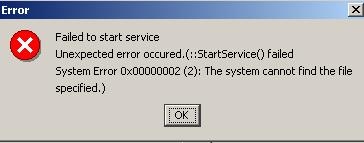
Failed to start service
Unexpected error occurred. (::StartService() failed System Error 0x00000002 (2): The system cannot find the file specified.)
In the Event Viewer system log, the following error message appears:
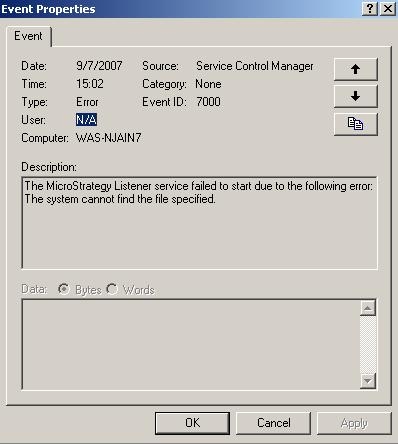
The Strategy Listener service failed to start due to the following error:
The system cannot find the file specified.
Note: The above error message is specific to Strategy listener service, but this technical note applies to any Strategy service.
CAUSE:
These error messages occur when the ImagePath value registry in HKEY_LOCAL_MACHINE\SYSTEM\CurrentControlSet\Services for the service that fails has no double quotes (") around it, or the path includes a space (see the image below). This syntax prevents the application from starting, as the Service Manager cannot find the executable associated with the service.
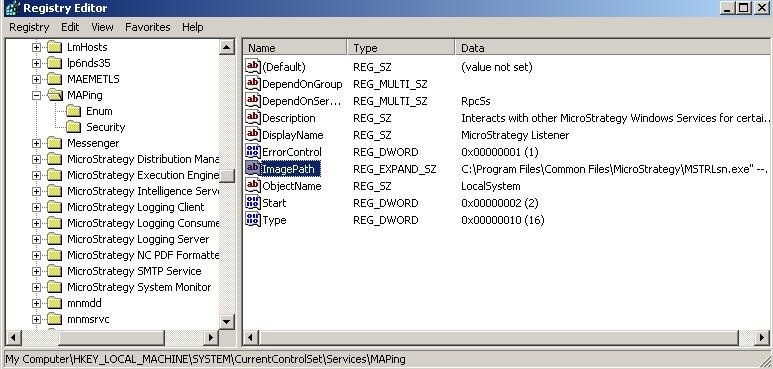
ImagePath is a registry key that specifies the location of the executable file for the driver or service.
ACTION:
To resolve this issue, users must follow the steps below:
Registry Modification:
WARNING:
Modifying registry values incorrectly may cause serious, system-wide problems that may require the re-installation of Microsoft Windows NT. Any edit of the registry is done at the user's own risk. Since these are user-initiated changes, they are not covered by any Strategy warranty. If using Microsoft Windows NT, the user should backup the registry and/or update an Emergency Repair Disk (ERD) prior to alterations.
