EducationSoftwareStrategy.com
StrategyCommunity

Knowledge Base

Product

Community

Knowledge Base

TopicsBrowse ArticlesDeveloper Zone

Product

Download SoftwareProduct DocumentationSecurity Hub

Education

Tutorial VideosSolution GalleryEducation courses

Community

GuidelinesGrandmastersEvents
x_social-icon_white.svglinkedin_social-icon_white.svg
Strategy logoCommunity

© Strategy Inc. All Rights Reserved.

LegalTerms of UsePrivacy Policy
  1. Home
  2. Topics

KB16752: Word wrap enabled for a dynamic text box within a Report Services document is not carried over when displayed in DHTML view in MicroStrategy Web


Community Admin

• Strategy


When a user enables word wrap for a dynamic text box within a Report Services document, the word wrap is not carried over when running the Report Services document in DHTML view within MicroStrategy Web.

SYMPTOM:
When a user enables word wrap for a dynamic text box within a Report Services document, the word wrap is not carried over when running the Report Services document in DHTML view within Strategy Web 9.x.
 
STEPS TO REPRODUCE:
Follow the steps below to reproduce this issue in the Strategy Tutorial project:
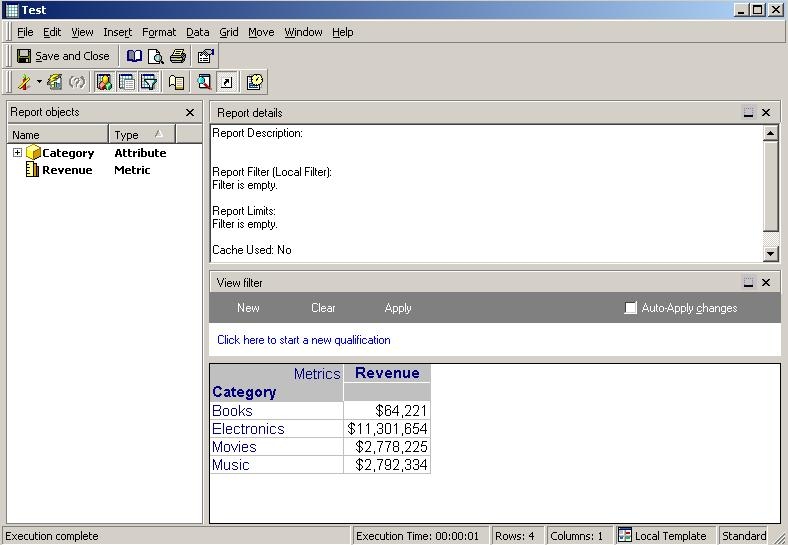
 

  • In Strategy Desktop 9.x, create a simple report with one attribute, e.g. the 'Category' attribute and one metric, e.g. the 'Revenue' metric, as shown below:
ka04W00000148wFQAQ_0EM4400000028id.jpeg
  • Save and close the report.
  • Create a Report Services document and add the report previously created as its primary dataset.
  • Click on the 'Detail' section.
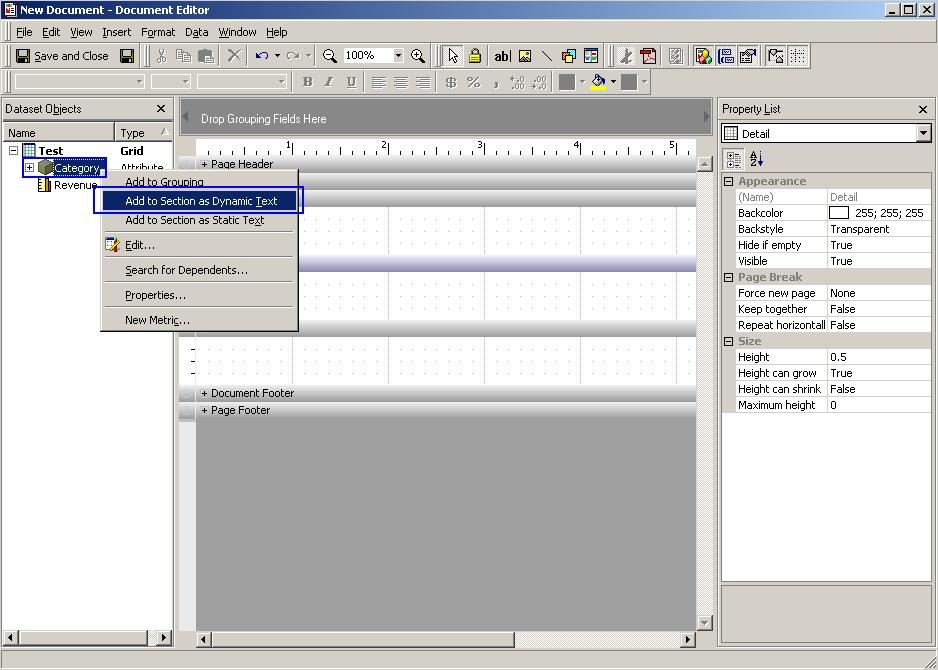
  • Right-click on the 'Category' attribute and select to 'Add to section as Dynamic Text', as shown below:
ka04W00000148wFQAQ_0EM4400000028ii.jpeg
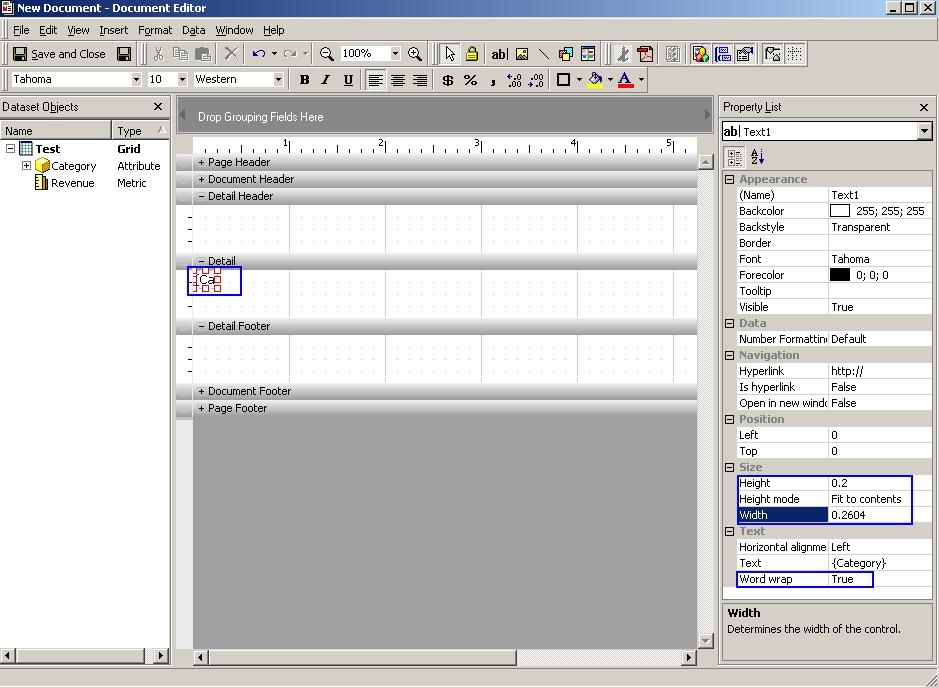
  • In the 'Property list' of the dynamic text box under 'Size', set the following properties:
     
    • 'Height' to 0.2
    • 'Height mode' to 'Fit to contents'
    • 'Width' to 0.2604
  • Under 'Text' set the 'Word wrap' to 'True', as shown below:
ka04W00000148wFQAQ_0EM4400000028ik.jpeg
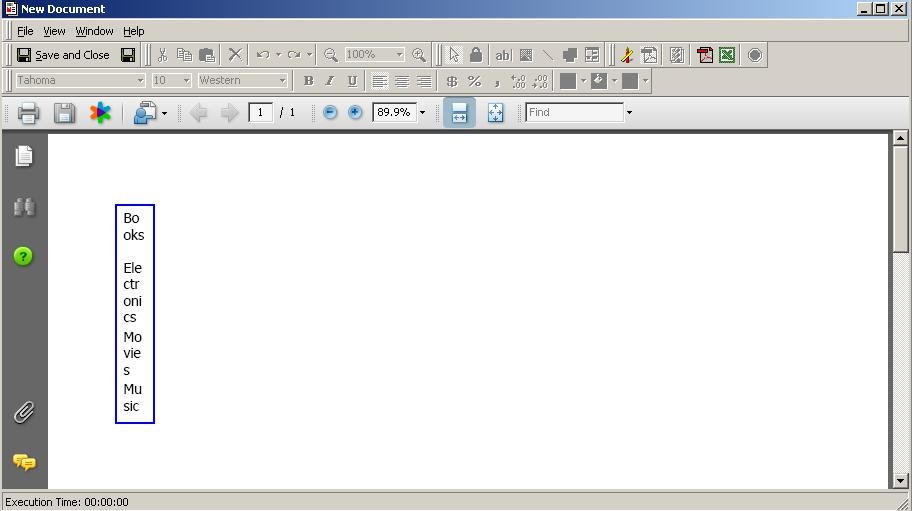
  • Run the Report Services document in 'PDF' view and notice that the word wrap is applied accordingly, strings that are too large continue on the next row below, as shown below:
ka04W00000148wFQAQ_0EM4400000028ib.jpeg
  • Save and close the Report Services document.
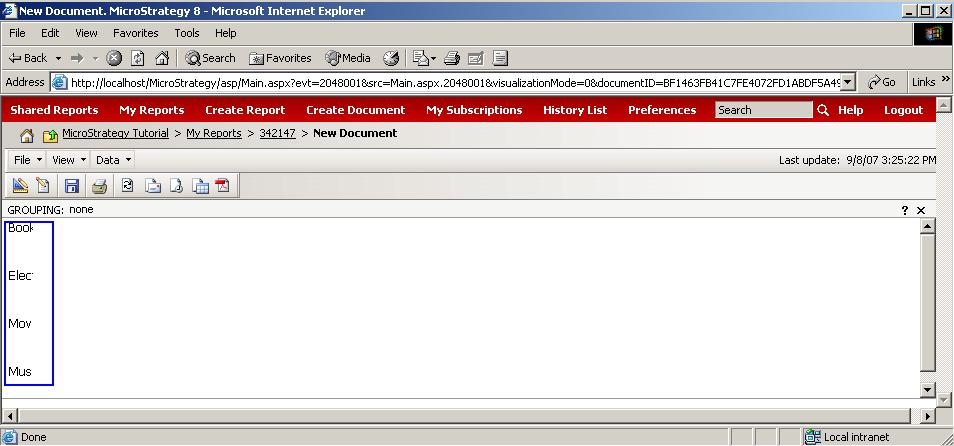
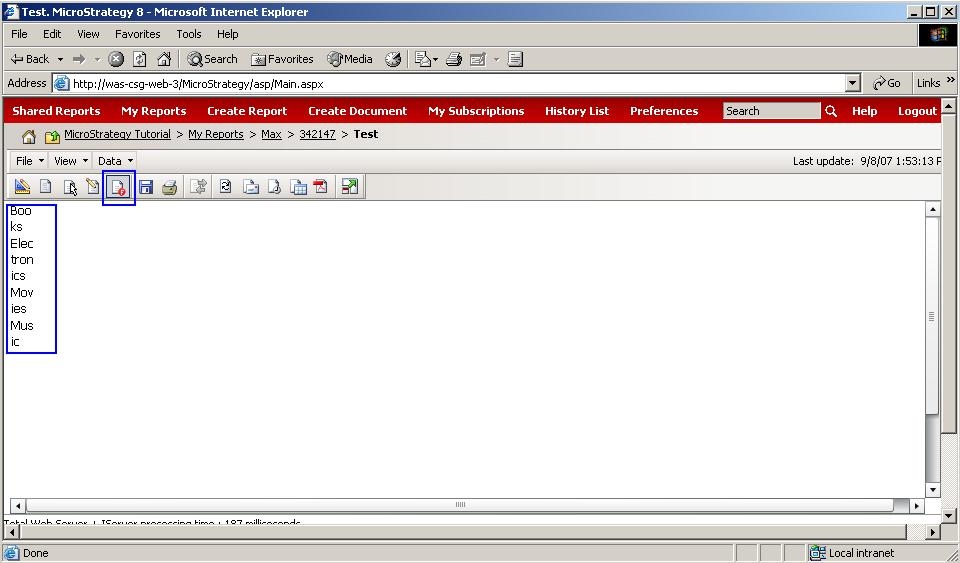
  • In Strategy Web 9.x, run the previously created Report Services document in 'PDF' view, notice that the word wrap isn't applied; instead the strings are truncated, as shown below:
ka04W00000148wFQAQ_0EM4400000028ic.jpeg

CAUSE:
Currently, character level word wrap is not supported for DHTML in Strategy Web 9.x. This is a known issue.
 
ACTION:
Contact Strategy Technical Support for an update on the status of this issue.
 
WORKAROUND:
Follow the steps below to work around this issue:
 

  • In Strategy Web 9.x, switch the Report Services document to 'Flash' view, and notice that the word wrap is carried over accordingly, as shown below:
ka04W00000148wFQAQ_0EM4400000028ia.jpeg

Note: The word wrap is carried over when exporting the Report Services document to PDF from Strategy Web 9.x.


Comment

0 comments

Details

Knowledge Article

Published:

June 13, 2017

Last Updated:

June 13, 2017