Users receive the error while attempting to perform an operation in Strategy Web 9.x, as shown below:
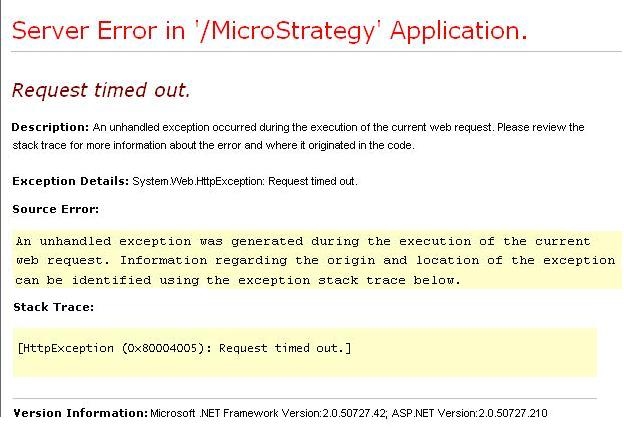
Server Error in '/Strategy' Application.

Request timed out.

Description: An unhandled exception occurred during the execution of the current web request. Please review the stack trace for more information about the error and where it originated in the code.

Exception Details: System.Web.HttpException: Request timed out.

Source Error:

An unhandled exception was generated during the execution of the current web request. Information regarding the origin and location of the exception can be identified using the exception stack trace below.

Stack Trace:

[HttpException (0x80004005): Request timed out.]


Version Information: Microsoft .NET Framework Version:2.0.50727.42; ASP.NET Version:2.0.50727.210
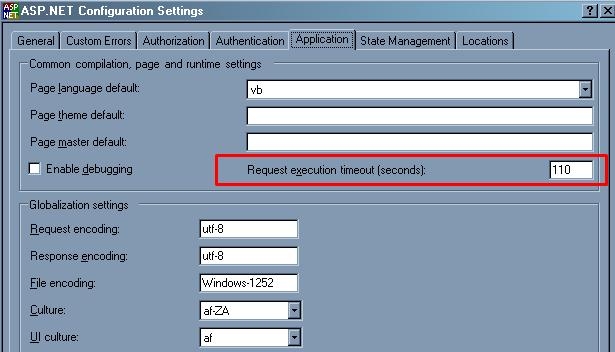
Executing certain tasks through Strategy Web will consume processing time on the Strategy Web Server machine in addition to processing time on the Strategy Intelligence Server machine. For example, when an end user exports a report through the Strategy Web interface, even after the Strategy Intelligence Server has finished generating the export, the Strategy Web Server still requires additional time to prepare the generated content into the final export format. Sometimes, this time will exceed the default httpRuntime executionTimeout handler parameter, which in IIS 7.x is 110 seconds.
For web servers on Microsoft IIS 7.x, follow the steps in KB35666: How to edit the setting for the Request execution timeout for ASP.NET installations in Internet Information Services (IIS) 7 and MicroStrategy Web 9.x to increase this timeout setting.
For web servers on Microsoft IIS 6.x, follow the steps below:
The same setting can also be changed through the IIS 6.x interface. Within the interface, navigate to the Strategy .NET application > Properties > ASP.NET > Edit Configuration > Application and modify the Request execution timeout (seconds): parameter, like shown below: